bsmSelect : Better jQuery Select Multiple with Demo

    bsmSelect : Better jQuery Select Multiple with Demo

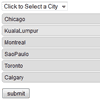
    A progressive enhancement to select multiple form elements using jQuery that makes it much easier to use. This enhancement automatically hides the original select multiple, and instead presents a regular select showing the available options, and an HTML list showing the already-selected options. While hidden, the original select multiple is updated as the user makes changes.

    No Ctrl/Cmd-Clicking is necessary to select multiple items, and an accidental click is not destructive. You add or remove items one at a time. Only the already-selected items occupy screen real estate, as they should. A remove link is included with each selected item, which eliminates ambiguity. Viewing and choosing a new item to add requires clicking on the select. This action is inherently more familiar, and displays many more available options at once, than a select multiple. More is seen at a glance and less scrolling (if any) is required to see all available options.Optionally, this type of select is sortable, giving it hierarchy. The user can drag and drop the items to the desired order.


    jQuery MiniColors : a Color selector for input controls with Demo

    jQuery MiniColors : a Color selector for input controls with Demo

    jQuery MiniColors is a simple, compact color picker that complements a text or a hidden input control.The plugin adds a trigger next to the input which is customizable via CSS.  The included icon is a modified version of the UI color picker icon included in the Fugue icon set.

    When the trigger is clicked or when the input gains focus, the color picker appears.  Users can either type in a hex-color or select one using the control.  The control disappears when the user clicks anywhere outside of the selector or tabs out of the input.  If specified, a callback is fired whenever the color value changes.

    jQuery Twitter Follow Box Widget like facebook with Demo

    jQuery Twitter Follow Box Widget like facebook with Demo

    A simple but powerful jQuery plugin to add facebook like box style widget for twitter. Enough options are available to customize the twitter follow box widget to match your site design.It is very simple to add twitter follow box to your site and this jQuery twitter widget is cross browser compatible.

    BoxyMenu : jQuery Box Navigation Menu with Demo

    BoxyMenu : jQuery Box Navigation Menu with Demo

    BoxyMenu is a simple and fast navigation menu plugin that renders smoothly in all major web browsers. It is simple to customize and can be plugged in to any website or web application.If you are thinking about giving a facelift to your website, experimenting with navigation menu is perhaps the most effective way to do that.

    A well-designed navigation menu would not only make your website simple and usable but it would also instantly change overall layout of the website. There are a lot of experiments that you can do with your website navigation – colors, orientation, icons, fonts, style (vertical, sliding, collapsible, drop down etc.) etc. All of these menu styles are effective for a particular purpose.

    jQuery NailThumb : Create Thumbnails From High Res Images with Demo

    jQuery NailThumb : Create Thumbnails From High Res Images with Demo

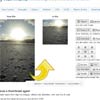
    jQuery NailThumb is a handy jQuery plugin helps you convert any image to any thumbnail with full control.If you want to add avatars to your application it’s easier to use this plugin to let them fit any size you need then to develop a functionality that help your user to upload avatars of the right size/sizes.

    It creates thumbnails easily from high-res images, without any distortion, with one line of code. You can even decide thumbnail dimensions directly from CSS.

    This plugin integrates perfectly with any media gallery, even more useful in dynamic web application when you can face any shape or size.

    jQuery Flickr Photobar Gallery with Demo

    jQuery Flickr Photobar Gallery with Demo

    After we got a lot of great feedback for our image galleries we decided to follow some of the suggestions and create a gallery that uses the Flickr API. The aim was to build a bottom photobar that one can easily integrate into a website. It is hidden initially and slides up when the handle is clicked. First, the photo sets are shown and when one of them is chosen, all its images can be viewed as thumbnails. When a thumbnail is clicked, a full image view appears as an overlay.

    jQuery CalendarPicker with Demo

    jQuery CalendarPicker with Demo

    jQuery CalendarPicker is a free ultra-light calendar.This component is a light-weight calendar/date-picker.

    Features:

    • supports internationalization (supports do not necessary means it is implemented:-) )
    • supports changing current date
    • supports mouse wheel scrolling
    • supporting (deferred) callback on date selection
    • supports variable number of years, months and days
    • supports next/prev arrows

    MathJax : JavaScript Display engine for Mathematics with Demo

    MathJax : JavaScript Display engine for Mathematics with Demo

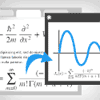
    MathJax is an open source JavaScript display engine for mathematics that works in all modern browsers.MathJax renders mathematics dynamically so that formulas and symbols are nicely integrated into the surrounding text – with matching font size, margins, and baseline. So, in other words: it should look right.

    MathJax supports two typesetting styles: inline and paragraph (or “display”) equations. For inline equations, MathJax tries hard to maintain the inter-line spacing. This means things like fractions and roots are vertically compressed, and smaller fonts are used. Paragraph equations are shown as a separate paragraph and can be displayed with more space and slightly larger fonts.

    Moodular : jQuery carousel/slider plugin with Demo

    Moodular : jQuery carousel/slider plugin with Demo

    Moodular is a jQuery plugin which allows to create carousel/slider very easily. Moodular comes from the contraction of two words : mood & modular.Modular has some modules integrated (controls & effects).It’s modular too, cause you can create your own controls & effects to perform your personal carousel.

    jQuery Transit : CSS3 animations for jQuery with Demo

    jQuery Transit : CSS3 animations for jQuery with Demo

    Super-smooth CSS3 transformations and transitions for jQuery.