

jQuery PopBox is a simple balloon UI element inspired by 37Signals Highrise CRM.
TouchTouch – A jQuery Touch Optimized Gallery Plugin with Demo

I want to share a little experiment with our readers – TouchTouch. It is a jQuery plugin that turns a collection of photos on a webpage into a touch-friendly mobile gallery. It works on all major browsers (except for IE7 and below) and most importantly is specifically designed with iOS and Android in mind.
Highlights
- Smooth CSS3 animations and transitions;
- A responsive CSS interface that fills the screen and responds to changes in device orientation;
- Preloads photos only when they are needed;
- Supports swiping through photos;
- Displays onscreen arrows and listens for arrow key presses on desktop browsers;
jQuery Validation Engine with Demo
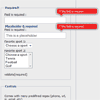
jQuery validation engine is a Javascript plugin aimed at the validation of form fields in the browser (IE 6-8, Chrome, Firefox, Safari, Opera 10). The plugin provides visually appealing prompts that grab user attention on the subject matter.
Validations range from email, phone, and URL, to more complex calls such as ajax processing or custom javascript functions. Bundled with many locales, the error prompts can be translated into the language of your choice.
Rules of thumb
* field.id are **unique** across the page
* for simplicity and consistency field.id and field.name should match (except with minCheckbox and maxCheckbox validators)
* spaces or special chars should be avoided in field.id or field.name
* use lower cases for input.type ie. *text, password, textarea, checkbox, radio*
* use the Ajax validator last ie. validate[custom[onlyLetter],length[0,100],**ajax[ajaxNameCall]**]
* use only one Ajax validator per field!
* JSON services should live on the same server (or you will get into browser security issues)
* in a perfect RESTful world, http **GET** is used to *READ* data, http **POST** is used to *WRITE* data: which translates into -> Ajax validations should use GET, the actual form post should use a POST request.
$.store : jQuery Extensible localStorage API with Demo

$.store offers an extensible API to persistent data storage on the client side of things. While modern browsers support localStorage, older Internet Explorers offer userData. For even older browsers a window.name fallback is in place.
New storage drivers and serializers can be easily added to $.store. You could thus create two storage environments, one for persistent storage, and one for session storage. User defined serializers can aid in converting your javascripts objects to JSON and back to objects.
Drag and Drop table content with JavaScript
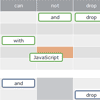
Content of HTML table cells can be dragged to another table cell or another table. It isn’t difficult to define onMouseMove handler and change top / left element styles to move the object. In case with tables, you will have to determine somehow destination table cell. Attaching onMouseOver handler on table cells will not work, because browser doesn’t fire events to the elements beneath the dragged object.
jQuery Week Calendar with Demo

The jquery-week-calendar plugin provides a simple and flexible way of including a weekly calendar in your application. It is built on top of jquery and jquery ui and is inspired by other online weekly calendars such as google calendar. If you require a monthly calendar view, I highly recommend checking out the FullCalendar plugin by Adam Shaw.Features :
- Display of calendar events within a weekly grid
- Calendar events can be supplied as an array, url or function returning json
- Calendar events can be dragged, dropped and resized
- Lots of callbacks for customizing the way events are rendered plus callbacks for drag, drop, resize, mouseover, click etc
- Automatically scrolls to current time
- Freebusy management
- multi-user management
- Extend the core calendar event, users and free busys data structure with your own data
- Highly configurable, enabling variable timeslots, readonly calendars, display of partial days, custom date formatting, direct manipulation of individual events for create, update, delete of events and much more.
Koottam Social jQuery Plugin with Demo

A simple, powerful and elegant Social jQuery Plugin to display your social links. The plugin can be highly customized through 10+ options.
Features :
- Counts directly fetched using api for facebook and twitter
- 7 themes + easy structure to add more themes in css
- Static or Animated count display
- Advanced option to change the coloring style
- Bigger counts cleanly shortened
- Use anywhere free of cost for something good.
Joyride : jQuery feature tour plugin with Demo

jQuery feature tour plugin.Joyride is an awesome jQuery plugin that lets you take users on a custom tour of your app.Setting up Joyride is simple, just attach the needed files, drop in your markup and choose your settings.
Joyride is extremely flexible and lets you take control of how people interact with your tour. We programmed it to be cross-browser compatible with modern browsers and even used some fancy CSS to avoid images. Now let’s see just how easy it is to take your first ride without getting the fuzz involved.
skrollr : jQuery parallax scrolling for the masses with Demo

Parallax* scrolling lib with zero dependencies in just over 7k minified (3k gzipped). No JavaScript skills needed.Actually, skrollr is much more. It’s a full-fledged scrolling animation library. In fact, you can use it and still have no parallax scrolling at all. But calling it “parallax” is part of my ongoing effort to play buzzword bingo as often as possible. By the way, skrollr leverages HTML5 and CSS3.
skrollr allows you to animate any CSS property of any element depending on the horizontal scrollbar position.All you need to do is define key frames for each element at certain points in top offset. Each key frame consists of one or multiple CSS properties and values.