dynoTable: A jQuery plugin for creating editable tables

    dynoTable: A jQuery plugin for creating editable tables

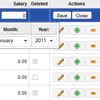
    I was working on a project that required the GUI to allow the user to dynamically add, remove and rearrange various form fields contained in table rows. The tricky part was that the UI needed to have this functionality for several different types of elements across several different forms. For instance, one set of fields was for adding and removing specifications to a product while another set of fields was for adding images to a product.

    DynoTable makes an html table editable. With it you can:

    • Add rows
    • Remove rows
    • Clone rows
    • Click and Drag to Re-arrange rows (If you have Jquery UI included on
      your page)

    The dynoTable defaults will probably handle most use cases. If you do not require any of the functionality it provides, you can simply omit the classes from your table. However, dynoTable also provides a number
    of properties and callback functions to configure it further if needed.

    Fullscreen Slit Slider with jQuery and CSS3

    Fullscreen Slit Slider with jQuery and CSS3

    In this tutorial we’ll create a fullscreen slideshow with a twist: we’ll cut the current slide open in order to reveal the next or previous slide. Using jQuery and CSS animations we can create unique slide transitions.Using different data-attributes, we’ll define the type, rotation angle and scale of a slide’s parts, giving us the possibility to create unique effects of each slide transition.

    Seahorse : JavaScript library of Form validation

    Seahorse : JavaScript library of Form validation

    Seahorse is a JavaScript library, licensed as free software, created to simplify the use of forms, particularly to simplify the form validation.

    Provides functions to validate, convert and serialize information and functions to assign real-time validation behaviors to form fields.It can be used with any JavaScript framework, however, has a plugin to be used along with jQuery.

    Seahorse provides several functions for handling numbers, dates, times, e-mail, plains texts, alphabetics texts or alphanumerics texts, among others.All the functions are highly configurable, allowing to specify the range of valid values, illegal characters, formats, and, in the case of behaviors, responses to the events of loss of focus and a key pressed.Implements behaviors for real-time validation of form fields. The behaviors can prevent the entry of certain characters, change the appearance of an element after validate an entered value or invoke other functions that handle the event.

    ezEditTable – Enhance Html Tables in jQuery

    ezEditTable - Enhance Html Tables in jQuery

    ezEditTable 2.0 is a javascript code aimed at enhancing regular HTML tables by adding features such as inline editing components, advanced selection and keyboard navigation. With just a line of code you can easily convert a regular HTML table in an advanced editable and selectable grid control.

    Features:

    • Attach to an existing HTML table
    • Advanced selection model
    • Extended keyboard navigation
    • Inline cell or row editing
    • Insert and remove rows
    • Send changes to server via GET or POST methods by form submission or by including script elements in the head section (only GETs)
    • Integration with any server-side technology as this is a pure client-side solution
    • Callbacks for all events, and delegates for most actions
    • Based on plain javascript, that is, independent from any javascript framework but compatible with any of them (no for..in etc.)
    • Exhaustive documentation and API

    nestedSortable jQuery plugin

    nestedSortable jQuery plugin

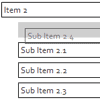
    nestedSortable is a jQuery plugin that extends jQuery Sortable UI functionalities to nested lists.

    Features:

    • Designed to work seamlessly with the nested set model (have a look at the toArray method)
    • Items can be sorted in their own list, moved across the tree, or nested under other items.
    • Sublists are created and deleted on the fly
    • All jQuery Sortable options, events and methods are available
    • It is possible to define elements that will not accept a new nested item/list
    • It is possible to define a maximum depth for nested items

    Google Places API – practice

    Google Places API – practice

    Do you use google maps? I am sure that yes. Have you ever tried ‘Search nearby’ function here? I like this feature and today I will show you how you can develop similar script. We will use ordinary google maps plus extra library – Places (in order to use Google Places API). Our script will be able to search for address, objects, and also you can refine your search with extra params like: keyword, type and radius.

    Barcode : jQuery Plugin to Create Barcode online

    jQuery plugin : barcode

    To use this plugin, simply define a container to host the visual barcode.The BCC library is a open-source library for barcode generation with the objective to be ported in as many language as possible.
    Each port will contain the version number of the BCC library and the version number of the port.

    jQuery TimePicker

    jQuery TimePicker

    jQuery TimePicker is a plugin to help users easily input time entries. It works by allowing the user to type times in a free format or selecting them from a dropdown menu.A jQuery plugin to enhance standard form input fields helping users to select (or type) times.

    The plugin will automatically convert all time entries to a format that can be changed passing the timeFormat option.

    Showing Image With Bounce Effect in jQuery & CSS3

    Showing Image With Bounce Effect in jQuery & CSS3

    There are many example out there that using CSS3 transform and animation for enhancing the webpage and today I’m going to share one of them. Using CSS3 transform and animation we will create a bouncing effect when an item (in this case image) is showing or added to our webpage.We will have an image list positioned on the bottom of the page wrapped by a single div, it will be opened by clicking a plus sign. If one of these image is clicked it will be showed on the middle of the page with bouncing, if other image clicked it also be showed next to previous showed image.

    To have a bouncing effect is a little bit tricky, we can use transform with playing scale value and helped by animation keyframes. Bouncing like zooming in and zooming out with different scale in some interval, for our bounce effect, the image will be showed bigger than its original size then scaling to smaller, bigger but smaller than the first and back to original size.

    jQuery Glyph Menu

    jQuery Glyph Menu

    The script is a complex jQuery elegant Glyph drop-down Menu (horizontal and vertical) with huge possibilities for any project. Easy to use.

    • You can set method of open – mouseover and click
    • You can set different colors for each item.
    • You can set default color for all items
    • You can disable backgrounds of icon and link
    • Possible to auto-open an item on subpage
    • a simple menu structure.
    • Easy to change the appearance via CSS .