File Style Plugin for jQuery

    File Style Plugin for jQuery

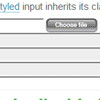
    Browsers do not let you style file inputs. File Style plugin fixes this problem. It enables you to use image as browse button. You can also style filename field as normal textfield using css. It is written using JavaScript and jQuery.

    Plugin wraps vanilla file input with div. This div has button as background image. Image button is aligned with file inputs browse button. File input is then hidden by setting opacity to zero. Chosen file is shown in normal text input which mimics file input. This text input also inherits file inputs class. Use this class to style the text input.

    How To Create The Google Circles Effect With CSS & jQuery

    How To Create The Google Circles Effect With CSS & jQuery

    This tutorial teaches you how to create a circle just like the one Google Circles use. As many of you might have already seen, one of the coolest features from Google’s new social project is the way you can easily add users to different circles to keep your social connections more organized.

    This tutorial will only cover how to create the actual circle and have it grow when your mouse goes over it. You will not learn how to do the little profile images that appear around the circle, though if there is enough demand for me, I can work on that in the near future.

    jQuery.suggest : Simple inline autosuggest jQuery plugin

    jQuery.suggest : Simple inline autosuggest jQuery plugin

    jQuery.suggest, a simple inline autosuggest jQuery plugin. It takes an array of terms as haystack and suggests the user the first item that matches what has been typed to this point. The suggestion is updated with every keystroke. Tab or Enter will accept the suggestion and update the input field accordingly.

    If more than one match is found, a small indicator will appear underneath the input (you can still it via CSS as you wish). The user can then use the arrow up/down keys to cycle through the options.

    RingShare: best way to share your content in jQuery

    RingShare: best way to share your content in jQuery

    RingShare could be apllied to any html element and could be customized for your own needs. and works in all recent browsers: Firefox, Chrome, Opera, Safari and Internet Explorer 7,8,9 as well as Mobile Safari on iPhone/iPad.

    Features

    • Easy to integrate
    • Cross browser support
    • Customizable
    • Documentation & Example included

    Building a List/Grid View Switcher with jQuery

    Building a List/Grid View Switcher with jQuery

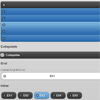
    A fairly common web interface feature is the dynamic view switcher. On product pages or blog archives you’ll sometimes find buttons to change the layout from display lists to smaller grids. In this tutorial I’ve built a simpler example using basic CSS and some jQuery commands.

    I’ll be using interface elements from the Zephirro E-Commerce UI Set which include buttons and thumbnail photos. Feel free to demo the code yourself and try out a similar experience on your own website. This is a tricky effect to nail down, but when done properly your users will love the unique experience.

    This tutorial should give you a strong introduction to manipulating your page layouts with jQuery. Even the simple action of mixing up classes & IDs can boldly enhance the user experience.

    jqmPhp : HTML Code Generator for jQuery Mobile Framework

    jqmPhp : HTML Code Generator for jQuery Mobile Framework

    jqmPhp is a package of PHP classes that facilitates the creation HTML files for use with jQuery Mobile Framework. All classes in the jqmPhp package can be converted to string and printed with an echo function.

    Mobile navigation jquery plugin

    Mobile navigation jquery plugin

    Plugin to replace navigation with a dropdown for mobile devices.It’s simple as abc. If you have some kind of navigation that you want to replace with a dropdown for mobile devices (read: screenwidth less than 480 pixels) then you’ve found what you’re looking for.

    Google Maps Slider with jQuery

    Google Maps Slider with jQuery

    I’m sure it’s partly me getting better at JavaScript, but I found the API quite well done and easy to work with. For one thing, it’s fully evented. That means you can attach event listeners to different thing, like the map itself or things inside the map. A simple example would be if a marker is clicked, you can change the zoom level of the map, change information shown elsewhere on the page, or really anything else you might want to do with JavaScript.

    I created a list of locations in an unordered list. Each list item had HTML5 data attributes containing the latitude and longitude of it. It also contained a title and long and short descriptions.When one of these list items is hovered over, I apply a “hover” class to deal with styling, “pan” the map to the new coordinates, and fill out the right area with more information.

    How To Build A Real-Time Commenting System in PHP, Ajax, jQuery, HTML5

    How To Build A Real-Time Commenting System in PHP, Ajax, jQuery, HTML5

    The Web has become increasingly interactive over the years. This trend is set to continue with the next generation of applications driven by the real-time Web. Adding real-time functionality to an application can result in a more interactive and engaging user experience.

    In this tutorial, I’ll show how to convert a basic blog commenting system into a real-time engaging experience where you’ll see a comment made in one browser window “magically” appear in a second window.

    Html5 loader : jQuery preloader plug-in

    Html5 loader : jQuery preloader plug-in

    Now you can preload your HTML 5 page with this nice plug in, passing data via JSON. You can customize it changing colors and style. It can preload video, audio, images and js