Flickr-Style Dynamic Edit Fields with jQuery and CSS3

    Flickr-Style Dynamic Edit Fields with jQuery and CSS3

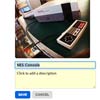
    The typical Flickr interface design includes a lot of Ajax panels which you can edit right from any settings page. Their website layout incorporates many web 2.0 trends as you move from account settings to photo settings and uploads. There are plenty of resources we could look at, and in this tutorial I’d like to focus on one specific entity.

    We can build a set of small dynamic photos with a title and description. Then using jQuery we can target whenever a user clicks on these fields to edit the content right from the page. It’s a beautiful technique for creating a sleek user experience with just a few blocks of code. I won’t be storing any of the content into a database, but tying into a backend PHP script would make that process easy enough to accomplish.

    How to Create an Interactive Graph using CSS3 & jQuery

    How to Create an Interactive Graph using CSS3 & jQuery

    In this tutorial we will code an Interactive Graph using jQuery and CSS3. We will use the jQuery’s popular plotting plugin “Flot”. Flot is a pure JavaScript plotting library for jQuery. It produces graphical plots of arbitrary datasets on-the-fly client-side. This plugin is simple but powerful enough to create some nice and interactive graphs. For more info take a look at documentation here. You can find the design of the graphs on Impressionist UImade by Vladimir Kudinov.

    jQuery Dashboard Vertical Navigation

    jQuery Dashboard Vertical Navigation

    Looking to give your next web app or custom cms dashboard that edge? If so then this accordion style jQuery dashboard menu will do just that.Impress your users with the modern dark design whilst giving them the best possible experience.

    This script comes with the choice if 6 different colours and is very simple and easy to implement.

    Flickr Badge v2 : Displaying your flickr photos

    Flickr Badge v2 : Displaying your flickr photos

    Displaying your flickr photos without leaving or slowing down your web site.Here you can download a script to add a flickr badge like the following to any HTML document or blog with some HTML and a JavaScript include.

    To add a badge all you need to do is add the link inside a DIV with the class flickrbadge and the script does the rest for you. You can use as many badges as you want in the same document. You can also only show pictures of your photo stream tagged with a certain tag.

    Ideal Forms : Responsive Forms with Html5 & jQuery

    Ideal Forms : Responsive Forms with Html5 & jQuery

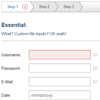
    The ultimate framework for building and validating responsive HTML5 forms.

    Features:

    • Fully responsive (AKA adaptive, adapts to the container, no css media queries needed).
    • Keyboard support.
    • Every input type can be customized including select, radio, checkbox and file.
    • Custom datepicker using jQuery UI (with fallback)
    • “On the spot” validation.
    • Localization
    • HTML5 placeholder for every browser.

    Creating a Twitter App Theme with jQuery Mobile ThemeRoller + Codiqa

    Creating a Twitter App Theme with jQuery Mobile ThemeRoller + Codiqa

    A couple of months ago, we designed and released two custom iOS themes for jQuery Mobile. They were a big hit in the mobile web community, and hopefully still getting some good usage. I thought it would be fun to follow up with a ‘how-to’ on creating themes using jQuery Mobile ThemeRoller. This time around, I created a custom theme based on Twitter’s mobile app. Like before, this theme is 100% free to use (personal or commercial), packaged with ThemeRoller generated CSS and a custom background image.

    Really Simple Slideshow in jQuery

    Really Simple Slideshow in jQuery

    Really Simple Slideshow is a jQuery plugin for creating image slideshows. Images are loaded dynamically as each one is required, allowing for larger slideshows without having to pre-load lots of images.

    Responsive Tables with CSS & jQuery

    Responsive Tables with CSS & jQuery

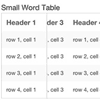
    A CSS/JS solution for tables that allows them to shrink on small devices without sacrificing the value of tables, comparison of columns.Our solution for responsive tables requires two included files (both linked on this page): responsive-tables.css and responsive-tables.js.
    The JS will help us create some new elements on small devices, so we don’t have to modify our table markup on the page. The CSS applies the requisite positioning and overflow styles to make the new elements work.

    styleSelect : jQuery Custom looking selectbox

    styleSelect : jQuery Custom looking selectbox

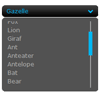
    This jQuery plugin replaces the standart select element with a custom looking selectbox. Plugin has keyboard support.

    Ajax Stylish Captcha and Contact Form using jQuery and PHP

    Ajax Stylish Captcha and Contact Form using jQuery and PHP

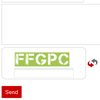
    This tutorial is about ajax based contact form with jquery validation and ajax based captcha.Captcha is main part of any form and if it is ajax based then it looks awesome.