JBMarket : jQuery Image Gallery

    JBMarket : jQuery Image Gallery

    JBMarket Image Gallery is JavaScript (jQuery based) script converting unordered list into an Image Gallery with Lightbox.

    Features:

    • Can display thumb images, big images for the lightbox, description text for the thumb images and description text for the lightbox.
    • jQuery driven
    • Width adjustable
    • Supports full-screen mode
    • Lightbox

    Dummy : A jQuery content generation toolkit for rapid web prototyping and QA

    Dummy : A jQuery content generation toolkit for rapid web prototyping and QA

    Dummy is a content generation toolkit designed to make the development, testing and presentation of web prototypes less time consuming and more realistic. It does so by making it easy to populate static HTML with dynamic content, and by randomizing elements within a layout on subsequent loads of a document, in a way, simulating connectivity to a live database.

    Originally conceived as a tool for helping to simulate the high volume, rapidly changing content characteristics of online newspapers and magazines, it’s generalized enough to benefit the early stage front-end development of any website or application with content that frequently changes in length, form or nature.

    It can also been seen as a support tool for designers and front-end artisans ready to embrace the dark art of designing in-browser, as vastly different layout permutations can be generated and evaluated rapidly with each load of the page. Problems and shortcommings can be more quickly exposed.


    jReject: jQuery Browser Rejection

    jReject: jQuery Browser Rejection

    jReject provides a simple, robjust, light-weight way to display rejections based on a the browser, specific browser version, specific platforms, or rendering engine. Provides full customization of the popup. Uses no CSS file (by default), and can easily be used on page load or during a specific page event. Also provides a flexible way to beautifully and cleanly display custom browser alternatives in the popup.

    jQuery.path : Animatation for arcs and bezier curves with jQuery

    jQuery.path : Animatation for arcs and bezier curves with jQuery

    jQuery.path provides animation along bezier and circular arcs.The animation engine in jQuery is focussed on single dimensional animation – hence it’s difficult to animate two variables along a path.

    This simple plugin provides a method of multidimensional animation, and in particular provides a method for animating along bezier curves and arcs.

    jQuery scroll parallax plugin

    jQuery scroll parallax plugin

    A jQuery plugin to make parallax effects based on the scroll position of the browser window.

    Its important to note that in the Nike example which this plugin tries to recreate (and my own examples below), much of the effect is not in fact controlled by javascript. The slow movement of the background image is actually because without the JS it is completely stationary in the centre of the browser window, thanks to background-position:fixed. What the javascript does it to move the background image very slowly, like it isn’t fixed at all.

    FoldScroll : Experimental CSS 3D scroll behavior jQuery plugin

    FoldScroll : Experimental CSS 3D scroll behavior jQuery plugin

    An experimental CSS 3D scroll behavior jQuery plugin.

    Pop-up Survey with jQuery UI Dialog

    Pop-up Survey with jQuery UI Dialog

    I was tasked with creating a pop-up survey for a project. Fairly simple whether I used the jQuery dialog or not so I added a “Thank you” dialog that displays the survey results with a lightweight, css-based bar chart just for fun.

    Pop-up Behavior

    1. Pop-up survey opens when page loads. Pop-ups on window.unload or window close are being blocked by most browsers due to abuse and overuse.
    2. Cookie is set when survey submitted or user opts out (“No, thanks” click).
    3. Closing dialog will not set cookie

    All survey data is stored in a database and jQuery .post is used to shuttle the information back and forth.

    jQuery Responsive Tabs & Accordion Plugin

    jQuery Responsive Tabs & Accordion Plugin

    Tabs + Accordion is a jQuery plugin that simplifies creating responsive tabs and accordions.

    Features:

    • You can use the same, simple HTML markup for both Tabs and Accordion.
    • You don’t have to learn how to integrate and use two different products, which saves you time.
    • It is lightweight, because the majority of underlying code for Tabs and Accordion is shared.
    • You don’t have to paint yourself but you can. There is plenty of choice with the included themes.
    • Folks visiting your website with a screenreader can use Tabs + Accordion pleasantly.
    • And folks visiting your website with JavaScript disabled aren’t missing out on content inside Tabs + Accordion.

    SelectBoxIt : jQuery Stylish & Animated Select Box Plugin

    SelectBoxIt : jQuery Stylish & Animated Select Box Plugin

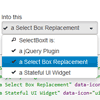
    A jQuery plugin that progressively enhances an HTML Select Box into a single option dropdown list. The dropdown list can be optionally styled with Twitter Bootstrap or jQueryUI ThemeRoller and optionally animated with jQueryUI show/hide effects.

    Features:

    • Styleable with Twitter Bootstrap and jQueryUI Themeroller (optional)
    • Supports all jQuery and jQueryUI show/hide effects (optional)
    • Includes ARIA (Accessible Rich Internet Applications) support
    • Full keyboard search and navigation support
    • An event API triggered on the original select box element that calls the plugin
    • A method API providing methods to interact with the dropdown list (i.e. Search, Open, Disable, Set Options).
    • Passes jsHint with no errors
    • Selected, Disabled, and Optgroup Support
    • Easily extendable to allow developers to create new widgets

    How to create a Puzzle game using jQuery

    How to create a Puzzle game using jQuery

    Today we are making a simple puzzle game called “Fifteen”. The purpose of the game is to slide 15 square blocks around to form an image. The goal of this tutorial is to look at this simple browser-based game and explain how it was made line by line. It’s a great way to learn jQuery. For this tutorial, We will use a 2D image square-sliding game I created last week and I will go over each line of code to demonstrate the train of thought. I really do believe that breaking this game up into explanations on per-line basis will help you understand how to use jQuery in your own projects.