

The excellent jQuery.Path allows you to create custom pathing when using the jQuery animate function. Bezier curves are especially interesting, because they allow you to move an object along almost any conceivable path (especially when chaining animations together). To create a bezier path, you just supply the necessary parameters.

EasyTabs.js : jQuery Easy Tabs Plugin

EasyTabs creates tabs with all the functionality, no unwanted changes to your markup, and no hidden styling.
Unlike jQuery UI tabs, which style and arrange your tabs and panels for you, this plugin handles only the functionality of the tabs. By leaving the styling and layout up to you, it is much easier to style and arrange your tabs the way you want.
Features:
- Creates tabs from an unordered list, which link to divs on the page
- Allows complete customization of appearance, layout, and style via CSS
- Supports forward- and back-button in browsers
- Tabs are bookmarkable and SEO-friendly
- Tabs can be cycled at a specified interval
HoverEx : jQuery image hover animation plugin

HoverEx is a jQuery plugin for image hover animations.It contains over 36 animations and prepared 18 hover animation templates.It also support for image zoom and slider effect.You can use it to create unique animated effects effortlessly without any knowledge of jQuery.
Features:
- Over 36 animations
- Over 18 build-in templates
- Responsive able
- Easy to customize
- Include two version
- Build in 8 animate queue,and you can customize easy
- Inline Zoom Support. Can be set the zoom range and zoom change step.And mousewheel control support.
- Image Slider Support. Support mousewheel control,and pre/next buttons
jQuery Date Range picker for Twitter Bootstrap

This date range picker component for Twitter Bootstrap creates a dropdown menu from which a user can select a range of dates. It was created for the reporting UI at Improvely.
If invoked with no options, it will present two calendars to choose a start and end date from. Optionally, you can provide a list of date ranges the user can select from instead of choosing dates from the calendars. If attached to a text input, the selected dates will be inserted into the text box. Otherwise, you can provide a custom callback function to receive the selection.The date range picker relies on jQuery, Datejs for parsing strings into dates and defining custom ranges, and the Twitter Bootstrap CSS.
jHERE : Maps made easy with jQuery

Maps are cool, but map APIs are complicated. jHERE solves this problem by offering a simple but powerful map API in the form of a jQuery (or Zepto.JS) plugin.
With jHERE, you can easily add interactive maps to your website. In only 4KB, you get a powerful map API, highly customizable markers, event handling and info bubbles. Bonus features are KML support and data visualization via heatmaps.
Extremes : jQuery plugin to put lists around a Circle
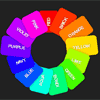
Extremes is a really simple and lightweight jQuery plugin to place elements around a circle. Special attention is paid to legibility. You will never encounter upside down text.When ordering lists you will often find that topics come to a full circle; the first item is very similar to the last one. In these cases a better visual representation would be ordering them around a circle, instead top to bottom.
SlickSwitches : jQuery well-styled Checkbox
SlickSwitches is a low-footprint and thus environmentally friendly jQuery plugin that allows you to turn any ordinary boring checkbox on your page into a fantastically well-styled switch, and since the switch takes the place of an ordinary checkbox, it degrades without an issue if JavaScript is not enabled.

Slider Shock : Most complete responsive jQuery/WordPress Slider

jQuery Slider Shock. A fully responsive slider and the most complete over the web right now. Available for you to download it as a jQuery code to use it wherever you need, or as a plugin for the most used CMS: WordPress. We wanted to make something that could take advantage of all the power that the jQuery code has to offer and this is the result. Take a look into this post and the features that our slider has to offer.
Do you want to build your own Slider? Sure, you can do it!. Look at the controls available to do so.
Features:
- You can easily add thumbnails on any of the sides of the slider ( top, bottom, left, right ) allowing users to navigate easily between slides.
- jQuery Slider Shock supports not only images but also allows you to show Videos from YouTube playlists, RSS Feeds, Twitter Feeds, Flickr and Instagram images from an account.
- You can create an slider from each of the following sources: Custom Slides, Posts (WordPress), Custom Post Types (WP), Taxonomies (WP), External RSS, YouTube, Flickr, Twitter and Instagram.
- Add videos from YouTube, Vimeo or Hulu.
- Create a unique slider adding not only videos or only images, but both of them between slides.
- You can have as many sliders as you want in the a single page.
- Add a flat color or a pattern based background the captions in the slides.
- You can adjust both the position and width of the slider captions.
- You can also include external URL images. By doing that, you can add completely different background patterns to your slider.
- You can choose a fixed width for your images, or adjust them to the 100% of its parent width..
- Add image descriptions within the thumbnail labels and display them on top, bottom, left or right side of your slider.
- Like the images, the labels can have their own background.
- You can adjust both the position and width of your captions.
- Pick one from 31 available effects (premium) or let them be random.
- Responsiveness can be deactivated, allowing your slider to remain the same disregarding the screen size.
- You choose the skin that fits on your site the best from 39 skins.