Horizontal Portfolio Layout with CSS3 Animations & jQuery

    Horizontal Portfolio Layout with CSS3 Animations & jQuery

    In this tutorial today we’re going to create a horizontal portfolio layout with cool hover effects inspired. The website is made in Flash, so I thought it would be nice to recreate the flash hover effect of the portfolio items using CSS3 animations and transitions, and some jQuery to replicate the image pan effect on hover.

    I’ve also added a simple falling down effect on scroll, where the portfolio items fall down as soon as they enter the visible area of the viewport.

    Simple Vertical Menu with jQuery and CSS3

    Simple Vertical Menu with jQuery and CSS3

    In this tutorial I`m going to show you how to create a simple, but very stylish vertical menu using some CSS3, a bit of jQuery, a custom text font and the most impressive icon font you can find at this moment, which is FontAwesome.

    Combine all of these with a nice color scheme and you get a beautiful UI element, ready to be used in your projects!

    Build a Custom Ad Banner Rotator Script with jQuery

    Build a Custom Ad Banner Rotator Script with jQuery

    In this tutorial I want to demonstrate how we can build a jQuery banner rotator which works even over PHP/Rails caching. You only need to implement the codes on your frontend, which means the settings on your web server do not matter as much. The script will hold an array of content data which matches up based on the image and outbound links. Take a peek at my live sample demo to catch a glimpse into what we will be creating.

    Dynamic Grid with Transitions with JavaScript & CSS3

    Dynamic Grid with Transitions with JavaScript & CSS3

    A dynamic grid layout that let’s you choose how many rows and columns of items are shown. Partly based on the visualization of Google Trends, except that you can add transitions.

    jQuery Auto Ajax Loader Indicator Plugin

    jQuery Auto Ajax Loader Indicator Plugin

    A simple plugin to automatically display aJax requests using jQuery with highly configurable. In the code of your script you don’t need any more support indication to the user requests. The plugin will do everything himself!

    Features:

    • Lightweight: 4KB of JavaScript
    • Appearance is controlled through CSS so it can be restyled.
    • Automatically starts
    • You do not need to modify your scripts to use
    • The ability to set different templates into individual navigation elements
    • Error handler

    CollagePlus : jQuery image gallery plugin

    CollagePlus : jQuery image gallery plugin

    This plugin for jQuery will arrange your images to fit exactly within a container. You can define the padding between images, give the images css borders and define a target row height.

    CollagePlus relies on all images being loaded before it can calculate the layout. It does not run off image sizes specified in the DOM. If you have image sizes available in the DOM then you’re probably better off calculating the layout server-side (assuming that’s where you got the image sizes from) and writing the result directly to the HTML template you’re generating.

    Magic : CSS3 Animation framework with jQuery

    Magic : CSS3 Animation framework with jQuery

    Magic is a CSS3 framework with many animations. Is simple to use and many animations are cross-browser compatible.

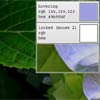
    Eye Dropper : Web App for picking colors from Images in JavaScript

    Eye Dropper : Web App for picking colors from Images in JavaScript

    An eye dropper tool on the web. Paste an image into the window, and mouse over it to extract colors with the help of this javascript plugin.

    jQuery Draggable Background

    jQuery Draggable Background

    A jQuery plugin for draggable background images.Their are 3 types of different draggable effect with this plugin.

    Caption Hover Effects with CSS3 & JS

    Caption Hover Effects with CSS3 & JS

    Today we want to show you how to create some simple, yet stylish hover effects for image captions. The idea is to have a grid of figures and apply a hover effect to the items which will reveal a caption with the title, author and a link button. For some of the effects we will use 3D transforms. The aim is to keep the effects subtle and provide inspiration for many different variations.