

Google have recently released a new Google Play website complete with a new redesign and what caught my attention was the way they implemented their navigation bar. With the smooth animation and how they let users peek at the root-level menu by simply hovering a back button, I decided to build a similar navigation menu from scratch using HTML, CSS and jQuery.
jQuery Flat Shadow
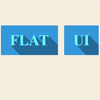
A small jQuery plugin that will automatically cast a shadow creating depth for your flat UI elements.This plugin will automatically add a beautiful shadow effect to your HTML elements without you even opening Photoshop. I’ll guide you through all the features available and how you can incorporate it in your work.
jQuery Image Crop

A cropper for when you need images to be a specific size. It works using a predetermined aspect ratio. The UI differs from other croppers, here you may drag the image into position and even resize it.
Features:
- Works in all the major browsers, including IE8+ and mobile.
- Minimal code. Doesn’t require jQuery UI.
- The UI differs drastically from traditional image croppers.
- Idiot-proof. I’ve added precautions to insure the computer illiterate don’t break it. For example, if the image proporations do not scale to the predetermined aspect ratio, then the image will automatically zoom in until it does scale.
- Aspect ratio is easily changable through CSS. You haven’t got to touch any JavaScript.
- Crop coordinates are sent to a .php file, where the image is cropped using imagemagick.
- Custom styles. The code is barebones, it’s very easy to style.

bgStretcher jQuery Background Resizer & Slideshow

bgStretcher (Background Stretcher) is a jQuery plugin for stretching one or more images proportionally across an entire page or element. When multiple images are supplied, bgStretcher displays them in a configurable slideshow with advanced options. The plugin allows you to add a large image (or a set of images) to the background of your web page and will proportionally resize the image(s) to fill the entire window area.
Features:
- Proportionally Resizes Background Images
- Lightweight jQuery Plugin
- Unobtrusive Script & Simple to Setup
- Works with Any Screen Resolution
- Compatible with All Modern Browsers
- Easy to Integrate with Popular CMS’s
- Support Single or Multiple Images
- Advanced Slideshow Features
- Control Speed and Duration
- Multiple Transition Effects
- Resize Animation Available
- Over 20 Configuration Options
tabview : Responsive Tabs for jQuery Mobile

Tabview is a tabs plugin for jQuery Mobile.Tabs are now easier to manage using pure CSS. Just add the number of tabs you need usingdata-tabs="1-10" along with data-type="tabs" to the collapsible set. Also, by default tabs fallback to a regular collapsible-sets on small screens (see example). If you don’t want this, just remove the media query and tabs will be tabs at any screen size.
feedback.js : Feedback form with Screenshot
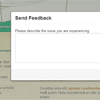
This script allows you to create feedback forms which include a screenshot, created on the clients browser, along with the form. The screenshot is based on the DOM and as such may not be 100% accurate to the real representation as it does not make an actual screenshot, but builds the screenshot based on the information available on the page.
menuSlider.js : Simple jQuery Menu Slider

Simple jQuery menu slider.Call the menuSlider on the container ({Border Thickness, Border Style, Border Color, Sides of Border, Background Color, Background Border Radius, Transition Speed, Transition Type}).The item the slider returns to has an class of “selectedMenuItem”. To switch which item is the current item, change which item has the selectedMenuItem class. I achieved it above by adding a click function in the script .