
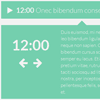
A powerful, flexible and animated vertical news ticker plugin for jQuery.jQuery Advanced News Ticker provides multiple callbacks and methods to allow a maximum flexibility and an easy implementation into any project.
Fluidbox : jQuery Lightbox with fluid Transitions

Replicating and improving the lightbox module seen on Medium with fluid transitions.As Fluidbox relies on CSS transforms, it only works with thumbnails that share the same aspect ratio with their higher resolution counterparts, otherwise the larger image will be cropped off, i.e. a square thumbnail linking to a landscape photo will cause the landscape photo to appear in a square frame. Fluidbox, serving as an alternative lightbox module, also assume that the image you have linked contains sufficient resolution to be displayed on the monitor — low resolution images will scale poorly on a large display.



LatestNews : jQuery Animated News Ticker Plugin

LatestNews is a new responsive plugin that allows you to show news feed with amazing text effects. It already comes with a Theme Configurator (360 css files included!) and 200 ready-to-use text animations.
Features:
- 200 ready-to-use animations
- theme configurator
- responsive
- SEO friendly
- it can get news items from facebook (php files included)
- it can get news items from twitter (php files included)
- it can get news items from standard RSS
- it can animate both letters and words
- full compatibility with all the latest browsers
- fallback for older browsers


jQuery RWD Images : Responsive Images Plugin
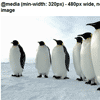
Responsive & Retina Content Images Redux using Media Queries & a base64 spacer GIF with the rwdImages jQuery plugin to allow the actual image to be saved, shared & printed.Retina screens will be served an image that’s twice the size, but gets scaled down.
The key is to use the intrinsic ratio technique to set the height of responsive images to 0, and give them a padding-bottom of the (width/height)*100. When the viewport width is large enough to show the images at the largest, real height, set the padding-bottom to the actual image height so the images don’t continue to create unnecessary padding.
The rwdImages jQuery plugin is used to wrap the image in a span and create an overlayed clone of the image with opacity: 0 so users can download or share the image.
Side Navigation Menu with CSS3

Side Navigation Menu with CSS3 transition property & without JS.We have a <nav> tag on the left of the screen with position: fixed;, a width and a fixed height.
Then we have a list with <svg> images and hidden links with display: none;, when we do a :hover over <nav> tag we added more with to the <nav> and a display: block; so that the links appear.