Build a Multi-Step Form Interface with jQuery

    Build a Multi-Step Form Interface with jQuery

    Form usability is an incredibly important topic in web design. As one of the primary input interfaces provided to users, the usability of a form is essential to a good user experience.

    Today, we’re going to build a multi-part form, complete with validation and animation.

    Creative Player – jQuery WordPress Plugin

    Creative Player - jQuery WordPress Plugin
    • Auto create playlist from folder(s) of mp3 files
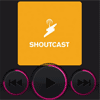
    • Shoutcast (Internet Radio)
    • SoundCloud (user tracks, single track, user favorites, user groups)
    • Youtube (single video, playlist video)
    • Official FM (single track, playlist tracks, project tracks)
    • 5 skin for Player
    • Add media albums (songs, videos or both of them)
    • Read files with ftp
    • Read file from folder
    • Add files with direct link
    • Read ID3 tags and fill them automatic
    • Show items lists
    • Share on social networks like facebook twitter google+
    • Keyboard navigation
    • Drag and Drop : You can play your own music or video by Drag and Drop of covers.

    Shape-Shifter with JavaScript

    Shape-Shifter with JavaScript

    shape-shifter is an all-in-one icon element that can morph into different shapes. Pretty cool for animated icons but works for static icons, too!

    Cloneya : jQuery plugin to Clone Form Elements

    Cloneya : jQuery plugin to Clone Form Elements

    CloneYa is a jQuery class useful for cloning DOM elements with their children. I wanted to be able to clone form inputs and groups of form inputs or fieldsets, or even whole forms.

    Pageslider : jQuery Page Slider

    pageslider : jQuery page slider

    A jQuery page slider uses jQuery Mousewheel plugin along with a sleek parallax effect.

    BrickWork : jQuery Plugin to Create Dynamic layouts

    BrickWork : jQuery Plugin to Create Dynamic layouts

    BrickWork is a reponsive jQuery plugin to create Dynamic layouts. The main goal is to create the best and most customizable dynamic layouts plugins.

    How to Build a Page Scroll Progress Indicator With jQuery and SVG

    How to Build a Page Scroll Progress Indicator With jQuery and SVG

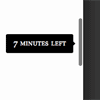
    Today we will be looking at a few techniques we can use to show scroll progress for users who are reading a page. This technique is being used on an increasing number of sites, and for good reason; it provides a contextual understanding of investment needed to consume a particular page. As the user scrolls, they are presented with a sense of current progress in different formats.

    Magnet – jQuery plugin for filterable layouts

    Magnet - jQuery plugin for filterable layouts

    Magnet is a jQuery plugin to create filterable layouts. Developed to be as simple as possible, Magnet is easy to initialize and to set up. All completed with extensive documentation with code snippets and examples.

    popModal : jQuery plugin for Tooltips, Titles & Dialogs Modal

    popModal : jQuery plugin for Tooltips, Titles & Dialogs Modal

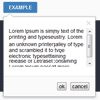
    popModal is a jQuery plugin for showing tooltips, titles, modal dialogs and etc.

    This library includes 5 components:
    popModal – popup window, displayed near the parent element. Invoked by clicking on an element
    notifyModal – notification popup, displayed on top of all elements. Invoked by event and hide after a certain time
    hintModal – tooltip, displayed near the parent element. Invoked on mouse hover on an element and hide after element lost focus
    dialogModal – modal dialog, displayed on top of all elements. Invoked by clicking on an element
    titleModal – tooltip, displayed near the parent element, replace native title. Invoked on mouse hover on an element and hide after element lost focus