
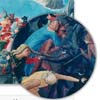
OKZoom is a jQuery plugin that produces a portable loupe of variable size and shape. All other jQuery ‘zoom’ plugins we have encountered implement a square magnifying area. Ours is a circle.
Fixed Navigation Transition with CSS3 & jQuery

Fixed headers are a must for long pages and menus that need to be seen all the time. The transition between an inline menu and a fixed menu is an added effect that really makes your navigation stand out. I have made two different transition effects: A flip effect and an arrow ribbon effect.

scrollMonitor : jQuery Plugin to Monitor scrolling Elements

The scroll monitor allows you to receive events when elements enter or exit the viewport. It does this using watcher objects, which watch an element and trigger events. Watcher objects also contain information about the element they watch, including the element’s visibility and location relative to the viewport.
The code is based on vanilla javascript and has no external dependencies. Except if you want to put it in the head of the document, then you’ll need jQuery for the DOMContentLoaded event.
Demos:
- Stress Test – Test with as many watchers as you’d like
- Fixed Positioning and Locking
- Anchored section headers
- Complex sidebar behavior
Expandable Project Presentation with CSS3 & jQuery

A gallery of project preview images that expand on click to reveal the full case study.In this example we take advantage of CSS Transitions and Transformations, and of the background-attachment CSS property to create a “diving-in” effect and reveal additional content for each project.
Unite Gallery : Responsive jQuery Gallery Plugin
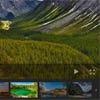
The Unite Gallery is multipurpose javascript gallery based on jquery library. It’s built with a modular technique with a lot of accent of ease of use and customization. It’s very easy to customize the gallery, changing it’s skin via css, and even writing your own theme.
Features:
- The gallery play VIDEO from: Youtube, Vimeo, HTML5, Wistia and SoundCloud (not a video but still )
- Responsive – fits to every screen with automatic ratio preserve
- Touch Enabled – Every gallery parts can be controlled by the touch on touch enabled devices
- Responsive – The gallery can fit every screen size, and can respond to a screen size change.
- Skinnable – Allow to change skin with ease in different css file without touching main gallery css.
- Zoom Effect – The gallery has unique zoom effect that could be applied within buttons, mouse wheel or pinch gesture on touch – enabled devices
- Gallery Buttons – The gallery has buttons on it, like full screen or play/pause that optimized for touch devidces access
- Keyboard controls – The gallery could be controlled by keyboard (left, right arrows)

jQuery Side panel slider plugin
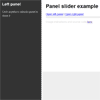
Side panel slider plugin (jQuery) that also slides page (inspired on medium).
Features:
- slide page and panel together (inspired on medium.com)
- support multiple panels on same page
- support closing when clicking outside panel or pressing ESC.
- play well with angularJS directives (Example comming soon)
Uber Zoom : jQuery Smooth Zoom & Pan
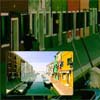
Next-gen smooth zoom & pan for your photos and images.Uber Zoom uses many features that you would normally find in a native iOS or Android app to improve the user experience, like rubberbanding and intertia.
If you need to have a small preview of your image in the bottom left corner, you can enable that. The user will see a small window to navigate your image by dragging.
