

jQuery plugin for creating video and audio sequences with media source extensions.
Bouncy Navigation with CSS3 & jQuery
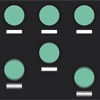
A full-screen navigation, with floating menu items.There are cases when you want to present the user with a choice, with the focus of the web page being the different options. Whether it is a modal navigation, or a list of categories, todays nugget gets you covered!
We used CSS animations and a pinch of jQuery to animate navigation items, and let them bounce in and out the screen.
Famax – Facebook Fan Page on your Website

Famax 2.0 is a jQuery plugin used to display any Facebook Fan Page on your website.
- Works on any device size (responsive + fluid)
- Fancy layout (new grid + header)
- Load more button for feeds
- Improved lightbox popup for videos (responsive + fluid)
- Optimized code overload (minified JS+CSS ~ 50KB)
- Uses Facebook v2.2 API
- A Tab for your Fan Page posts
jQuery Structured Filter
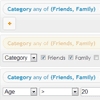
Structured-filter is a generic Web UI for building structured search or filter queries. With it you can build structured search queries like “Contacts where Firstname starts with ‘A’ and Birthday after 1/1/1980 and State in (CA, NY, FL)”…
It is a full jQuery UI widget, supporting various configurations and themes.

Dante : Medium wysiwyg editor clone

So far I have tried all the Medium.com wysiwyg clones out there, these are really great, and each have their pros and cons. But none of them has all the features that the real medium editor provides. so I wonder, How complicated could be write my own Medium wysiwyg clone?
- HTML sanitizer for pasted or loaded text.
- Image upload for paste events.
- Image upload for legacy images on existent texts.
- The medium (+) Tooltip to embed or upload media.
- Tab navigation.
Mapael : jQuery Dynamic Vector Maps Plugin

jQuery Mapael is a jQuery plugin based on raphael.js that allows you to display dynamic vector maps.
Features:
- based on jQuery and raphael.js. And optionnaly based on jQuery mousewheel for the zoom on mousewheel feature.
- Interactive. Set href, tooltip, add events and many more on the elements of your map.
- Plottable cities Cities can be plotted on the map with circles, squares or images by their latitude and longitude.
- Areas and plotted points colorization. Mapael automatically sets attributes like color and size to each area and plotted point displayed on map and generates an interactive legend in order to build pretty dataviz
- Easy to add new maps. Build your own maps based on SVG paths
- SEO-friendly. An alternative content can be set for non-JS users and web crawlers
- Resizable Maps are easily resizable.
- Zoom Zoom and panning abilities.
skLib : jQuery Responsive Lightbox
SiteKit Library lightbox is a fully responsive lightbox which runs on any device and on all major browsers. It supports touch, keyboard and mouse control, chooses the best fit from multiple sizes per image, adapts to right-to-left languages, and allows custom commands such as save to disk or link to more information.
- Big – Minimal chrome graphics to focus on your content and not its frame.
- Responsive – Adapts to browser window and resizes with it.
- More responsive – Chooses the image best fitting the size of window. (If image variations are configured.)
- Even more responsive – Quick animations and preload of the next slide’s image don’t leave users waiting.
- Touch – Swipe through a gallery on any touch-screen. (Except for video or iframe.)
- Keyboard – Move through a gallery with directional keys.