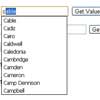
The plugin will get your list, wrap it into a container div, generate as many lists as the number of columns you require and evenly split the list items into the different list elements. If the list items are not enough to evenly fill in all the columns, the plugin will hide the columns in excess (this might happen only if you’re ordering your list items vertically as per default).
Best jQuery Web Plugins & Tutorials with Demo
How to Build Single Page Applications with jQuery

This article on Building Single Page Applications(SPAs) With jQuery’s Best Friends; DocumentCloud’s Backbone.js, Underscore.js, LAB.js and jQuery templating.SPAs are web applications or websites which persistently run in the same page without requiring a reload for further navigation. All of the code needed for your initial load in these applications is driven by either local data or data retrieved from a web server on demand, such as any additional data required from your app that might be driven by user actions.
An Awesome jQuery Plugin For Creating Magical Layouts – Isotope

Isotope is an impressive jQuery plugin that enables us to sort items and create smart layouts.Using the plugin, any given list of items can be filtered with show/hide effects and they can be re-ordered with slick animations.The plugin’s layout features are very powerful as well. With a simple function, items can be converted into horizontal/vertical layouts or arranged intelligently within a grid and much more. And, all with nice animations.

Pull Out Content Panel with jQuery

We will create a content panel that slides out at a predefined scroll position. It will reveal a teaser with related content and it can be expanded to full page size to show more. A custom slider allows to scroll through many items in the panel.Depending on how many items can fit to the user’s screen, we will adapt the item container in order make the maximum number of items fit, centering it horizontally.
zClip: jQuery ZeroClipboard
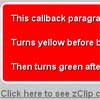
zClip is a lightweight jQuery “copy to clipboard” plugin built using the popular Zero Clipboard library. This plugin uses an invisible Adobe Flash movie that is fully compatible with Flash Player 10 and below.
Features:
- Avoids built in browser security conflicts by using a 3rd party browser plugin (Adobe Flash)
- Invisible overlay, no interference with page design
- Support for CSS “:hover” and “:active” states
- Preserves the targeted element’s “click” “mouseenter” and “mouseleave” events
- Supplies callback functions for “before copy” and “after copy”

How to Mimic the iGoogle Interface with jQuery
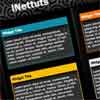
In this tutorial, I’ll show you how to create a customizable interface with widgets. The finished product will be a sleek and unobtrusively coded iGoogle-like interface, which has plenty of potential applications!
First, let’s list exactly what we’ll be creating here and what features it’ll have:
- This interface will contain several widgets.
- Each widget can be collapsed, removed and edited.
- The widgets can be sorted into the three seperate columns by the user (using a drag and drop technique).
- The user will be able to edit the color and title of each widget.
- Each widget can contain any amount of regular HTML content, text, images, flash etc.