Best jQuery Web Plugins & Tutorials with Demo

    jQuery Browser PINPAD

    jQuery Browser PINPAD

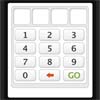
    Browser based pin pad that protects the page from access until the correct code is put in. Uses jquery, colorbox, grumble to achieve all the effects.

    When the page is loaded it is covered up by a pinpad. Putting in the right pin will reveal the page contents and set a cookie allowing access to that page for 30 seconds (Obviously this can be changed). Also, it will relock the page and require the pin number every 30 seconds (This too can be changed )
    Portamento: floated layout jQuery plugin

    jQuery floated layout plugin

    Portamento is a jQuery plugin that makes it simple to add sliding (aka “floating”) panel functionality to your web page. All that’s needed is some simple CSS and one line of JavaScript, and you’re away!

    It works fine with floated and absolutely-positioned layouts, in all modern browsers and some not-so-modern ones too.

    Create Multiple pop up divs using the jquery

    Create Multiple pop up divs using the jquery

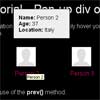
    In this tutorial we are going to create a simple profile overview page containing 4 profile images and names. When we hover over the image or name a more detailed profile will appear. This div is positioned before the image and name link in the code and is initially hidden. When we hover over the image, a jQuery event will occur which will change the display declaration from hidden to block, making the div appear. This is when we make use of the prev() method.

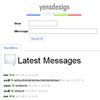
    Create a shoutbox using PHP and AJAX (with jQuery)

    jquery shoutbox using PHP and AJAX

    Continuing with the tutorials about AJAX and jQuery we will create a stunning and dynamic shoutbox based in PHP and AJAX (using jQuery).

    We will learn how to create a dynamic ajax based shoutbox with jQuery from scratch. It will be very interesting to know how to use the ajax function of jQuery and how it can be used to insert and recoverdata from a MySQL database via PHP in a way asynchronous.

    jQuery Auto Truncator

    jQuery Auto Truncator

    This class implements multiline html truncation, expand-collapse links, and wordwrap / hyphenation through JavaScript using the jQuery library. It follows a binary tree split algorithm along DOM textnodes & html nodes. On page load the Truncator will automatically wrap & truncate containers with the truncate class.

    Elastislide – A Responsive jQuery Carousel Plugin

    jQuery Carousel Plugin

    Elastislide is a responsive jQuery carousel that will adapt its size and its behavior in order to work on any screen size. Inserting the carousel’s structure into a container with a fluid width will also make the carousel fluid.

    In a carousel, one could think that simply making its container “shorter” will solve the problem on smaller screens, but in some cases (e.g. when we have bigger images) it might be reasonable to resize the items as well. This and other options are part of Elastislide’s properties.

    Elastislide uses the jQuery Touchwipe Plugin which allows you to obtain the wipe event on an iPhone, iPad or iPod Touch.

    jQuery Plugin for Embedding Fluid Width Videos: FitVids.JS

    jQuery Plugin for Embedding Fluid Width Videos: FitVids.JS

    FitVids.JS is a lightweight, easy-to-use jQuery plugin for embedding fluid width videos.This jQuery video plugin is easily configurable, simply include jQuery and FitVids.js in your layout and target your videos container with fitVids(). This will wrap each video in a div.fluid-width-video-wrapper and apply the necessary CSS. After the initial Javascript call, it’s all percentage-based CSS magic.

    Slide Navigation Using JQuery With Easing Plugin

    JQuery Slide Navigation

    The navigation at apple mac page are using an easing effect, it separating each product by the category, I love the effect when user click on the navigation it like the products appear and disappear one by one, with the easing effect on the end movement, like bouncing on the vertical line

    If you see the source code on apple page, seems they are still using prototype.js, once are the most popular javascript framework, before the appearance of  jquery. In this post I want to create something like the apple mac navigation menu using jquery easing plugins.

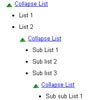
    JQuery – Collapser Plugin

    JQuery – Collapser Plugin

    Jquery collapser is a multi purpose collapser plugin made for expanding and collapsing elements. Can create a accordion, list collapser using this plugin.

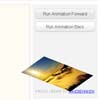
    3D and 2D Transforms for jQuery: TransformJS

    3D and 2D Transforms for jQuery: TransformJS

    TransformJS is a jQuery plugin which exposes new CSS properties accessible through .css() and .animate() which you can use to apply and manage transformations to a jQuery element.

    TransformJS uses feature detection to analyze the supported features of the browser it is running in and adapts accordingly and it maintains an in-memory matrix which it uses to apply the transforms.

    The ability to use transforms without constructing huge stylesheets for x-browser compatability is nice.