Best jQuery Web Plugins & Tutorials with Demo

    Slide Note : A jQuery Plugin For Sliding Notifications with Demo

    Slide Note : A jQuery Plugin For Sliding Notifications with Demo

    A jQuery Plugin that makes it easy to display sliding notifications on your website or in your web application.It offers flexible positioning options, support for Ajax, CSS hooks, and more.

    Features:

    • Fire the notification once the user scrolls to a certain point on the page.
    • Control which corner of the window into which the notification appears.
    • Specify how many times the notification should appear before it no longer displays.
    • Take action before and after the notification appears in the user’s window.
    • Perfect for manipulating data based on the response to the notification.

    Making a Giveaway jQuery Randomizer App with Demo

    Making a Giveaway jQuery Randomizer App with Demo

    jQuery Randomizer app is divided in three steps – in step one you provide a list of the contestants’ name and email, divided by a comma (each contestant on a separate line). In the second step, you provide a prize name and a number, signifying the number of copies that have been offered. In the last step, you get a randomly selected list of contestants and their prizes.

    jQuery sliding boxes and captions to create callouts

    jQuery sliding boxes and captions to create callouts with Demo

    The concept behind the sliding boxes and captions is pretty easy. Check out the demo below to see what’s going on. There is a div with a border and shadow which contains an image. On top of the image there is a div (the caption) which has a background color, a border, some text, links, and other elements with background images. The opacity has been lowered on the background color so the image can shine through the div.

    loupe : A jQuery image magnifier

    loupe : A jQuery image magnifier with Demo

    loupe is a lightweight (~1k minified) onhover image magnifier for jQuery.The selector should reference links containing thumbnail images, or images shrunk by the browser. the settings (width, etc.) are optional.

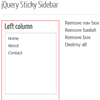
    Sticky Sidebar jQuery plugin

    Sticky Sidebar jQuery plugin with Demo

    Sticky Sidebar jQuery plugin allows you to set a number of sidebar or floating boxes that follow the user down the page as they scroll. The plugin uses absolute positioning calculated from the original css and offset to either the closest positioned parent or to the document. The plugin has been tested in IE6-9 and all the other major browsers.

    How To Work Out Distance Between Mouse And Element in jQuery

    How To Work Out Distance Between Mouse And Element in jQuery

    In the tutorial today you will learn how you can use jQuery to get the distance of the mouse from a certain element on the page. This bit of code can be useful on a small web app which has a lot of user interaction and you want an event to run when the user mouse is in a certain distance from an element.There is a demo page for this code, which has a label to show the distance in pixels and an element which we will take the center position for.

    Metro JS : jQuery Metro interfaces on the web

    Metro JS : jQuery Metro interfaces on the web

    Metro JS is a JavaScript plugin for jQuery developed to easily enable Metro interfaces on the web . This release focuses on Live Tiles, the Application Bar and Theming. It’s early in the development phase, but all features should work on at least IE7+(Win/WinPhone), Firefox, Chrome, Android, Opera, and Safari(OSX/iOS).

    Features

    • Full “future proof” hardware acceleration for browsers that support it now and those that will in the future
    • Uses Modenizr if already available or built in capability checking via the same methods if not
    • Slide tiles that stop at an arbitrary number of points to reveal the tile behind it (e.g. Me tile, or the animated clouds on the projects page)
    • Flip tiles that flip between two static containers
    • Flip tiles that assign new images at random or sequentially from an array of images
    • Lists of tiles that can flip between static containers
    • Lists of tiles that assign images with adjustable levels of randomness for mosaics and other unique content presentations

    Create A Dead Simple Twitter Feed with jQuery

    Create A Dead Simple Twitter Feed with jQuery

    In this tutorial, we will be creating a jQuery script that retrieve twitter tweets from user account. It’s quick and easy, come with link, hash tag, alias parser as well as time posted (calculated relatively). Most importantly, everything has a class and will be flexible to style and match your design!

    jQuery ProQuo : Turn HTML content into “tweetable” quotes

    jQuery ProQuo : Turn HTML content into “tweetable” quotes

    jQuery ProQuo is a quick way to encourage your readers to spread your content through twitter. Simply define the regions in your markup that you would like to make “tweetable” and ProQuo will handle the rest.This jQuery plugin have a following features :

    • Automatically determines proper text length and adds ellipsis in the tweet if the text needs to be truncated
    • Includes a link back to the page that the quote was tweeted from (by default).
      Note: Twitter auto-shortens this link so they aren’t taking up more than 20 characters even if they appear longer in the tweet window.
    • Adds a “Tweet this” link to the tweetable element
    • Auto-loads the Twitter widgets script if it’s not already available on the page.

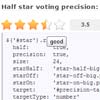
    jQuery Raty – A Star Rating Plugin

    jQuery Raty - A Star Rating Plugin

    jQuery Raty is a plugin that generates a customizable star rating.