Best jQuery Web Plugins & Tutorials with Demo

    Pagify.js : A jQuery plugin for single page web sites

    Pagify.js : A jQuery plugin for single page web sites

    Effortlessly create single page web sites with this jQuery plugin.Pagify is a simple jQuery plugin that simply replaces the contents of a div with content from other html files.

    Features:

    • Simple – include pagify.js, create a div, make one jQuery call and you’re done!
    • Lightweight – pagify.js is far less than 100 lines of code, well commented and easy to understand and extend!
    • Flexible – Get started by only specifying a list of pages or customize animations, default pages and caching!
    • Fast – Load all pages upfront or load on the fly; a simple $.get() is used to get content with minimal proccessing!
    • Clean – Replace long HTML files broken up into sections and verbose JS to do the simple task of switching content!
    • Couldn’t find an adjective… – Uses only Javascript and HTML so it can be uploaded like any other static site!


    Image Tagging Tutorial Using jQuery and CSS

    Image Tagging Tutorial Using jQuery and CSS

    There is a popular saying that a picture is worth a thousand words. Images are a great way of catching our attention instantly. But sometimes its necessary to tag or link specific parts of images to provide information. Popular social media giants like Facebook and Google Plus use image tagging to identify the people and places in images.

    In this tutorial I am going to show you how to create a simple image tagging system using jQuery and CSS.

    Style Your Site According to the Weather with jQuery

    Style Your Site According to the Weather with jQuery

    By pulling in feed from the Yahoo API with jQuery, you can style your website according to the Weather! Find out how by following this step by step guide. We’ll start by creating four backgrounds for sun, rain, snow and cloudy, then use a clever jQuery script to pull in the forecast. To finish things off, we’ll even create a cool manual override, allowing users to switch through the various themes themselves.

    MiniTwitter : jQuery Widget puts your Tweets on your Website

    MiniTwitter : jQuery Widget puts your Tweets on your Website

    MiniTwitter – the Widget jQuery which puts Twitter and your tweets on your Website or your WordPress blog.

    Features :

    • Put Twitter on your website and even more: the tweets from the folks you like, the lists and yourself.
    • Show up to 100 tweets within 7 days (limit set by Twitter’s Search API).
    • Use the color of your link profile on Twitter.
    • Display tweets from your feed or from the Twitter Search.
    • Display tweets from a list or from your favorite users.
    • Stylize your feed with your Cascading Style Sheet or with other jquery plugins.
    • Compatible with the last jquery version: 1.7.

    Sort Items Alphabetically Using jQuery

    Sort Items Alphabetically Using jQuery

    Using jQuery we can easily sort a list of html elements alphabetically. In the following tutorial I will give 2 examples – sorting an unordered list and sorting a table.Using jQuery we then append each item row to the unordered list to rebuild in the correct order.

    Animating Colored Ajax Comments with jQuery

    Animating Colored Ajax Comments with jQuery

    There are plenty of social networking websites today where you can find dynamic Ajax-based comments. This system is more usable because you don’t need to refresh the page every time you post something new. However setting up a whole database for user comments from scratch can be difficult.

    In this tutorial I want to look at using jQuery just for animating custom comments. The form will submit each post anonymously and won’t save anything to a local database. The effects are only for show – but you can easily adopt the dynamic code into a system such as WordPress, vBulletin, Joomla!, or even your own custom backend.

    Thumbs up and down rating system with jQuery, PHP and MySQL

    Thumbs up and down rating system with jQuery, PHP and MySQL

    In this series we take a look at how to create a rating system with thumbs up and down. The ratings will be saved to the MySQL database using PHP PDO class.

    NiceScroll : jQuery Scrolling plugin for desktop,mobile & touch devices

    NiceScroll : jQuery Scrolling plugin for desktop,mobile & touch devices

    Nicescroll (as nice scroll for browsers) is a jquery (since 1.5) plugin, for nice scrollbars with a very similar ios/mobile style. It supports DIVs, IFrames and document page (body) scrollbars. Compatible with Firefox 4+, Chrome 5+, Safari 4+ (win/mac), Opera 10+, IE 6+. (all A-grade browsers) Compatible with iOS devices as iPad. So you have scrollable divs for iPad.

    jQuery Dynamic Grid: The Engine

    jQuery Dynamic Grid: The Engine

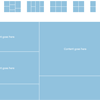
    Dynamic Grid is a jQuery plugin for generating an animated, responsive and great looking grid for your content – be it images, news feed, text and what not.

    With the help of some sophisticated algorithms the script fills the grid with cells with (optionally) random heights on every page load, and thus giving the widget a unique layout every time someone loads your page! Additionally, the algorithm is smart enough to prevent cells from being too big for the total size of the widget. Which means at any point in time, there is no cell that is only partially shown or hidden. It just works like it should!

    Number of options:

    • Number of columns
    • Number of rows
    • Random/fixed cell height
    • Padding between columns
    • Fluid/fixed width
    • Height
    • Easing effect
    • Animation speed
    • Animation interval

    Smart Cart : Feature rich jQuery plugin for Shopping Cart

    Smart Cart : Feature rich jQuery plugin for Shopping Cart

    Smart Cart is a flexible and feature rich jQuery plug-in for shopping cart. It makes the add-to-cart section of online shopping much easy and user friendly. It is compact in design, very easy to implement and only minimal HTML required.

    The selected items in the cart are accessible as an array of product/quantity pair delimited with ‘|’ on submit form or when checkout event is triggered. Smart Cart 2 have a simple and compact design with tabbed interface to saves space.

    Features (Smart Cart 2.0):

    • Easy to implement, minimal HTML required
    • Clean and compact design, tabbed design saves space
    • Product search and Category filter enables easy and fast access to the product what users are looking for
    • Automatically calculates subtotal and total
    • Quantity is editable from the cart list
    • Event support, custom Ajax feature and validation can easily implement using the events
    • Product Image display and expanded tool tip display
    • Can implement multiple cart on same page
    • Template option, for easily customizing product display details
    • Pre-populate products on cart on page load