Best jQuery Web Plugins & Tutorials with Demo

    Sidetap : Quickly build mobile web interfaces with jQuery

    Sidetap : Quickly build mobile web interfaces with jQuery

    Sidetap is a simple framework that allows you to quickly build platform-independent mobile web interfaces.We built Sidetap to be an easy-to-use implementation of the side navigation pattern popularized by apps like Sparrow and Facebook. It solves many common mobile development problems right out of the box. Here are some of the specific things we like about it:

    • Lightweight: Sidetap only weighs 2k when minifyied and gzipped!
    • Device Support: Sidetap aims to always deliver the best possible experience for all devices by starting with a basic experience and progressively enhancing it for more capable devices.
    • Less Decisions to Make: By embracing convention over configuration, Sidetap let’s you start building your mobile interfaces right away.
    • Simple: Sidetap provides a flexible foundation for navigating between content panels on mobile devices using an easy-to-use syntax.


     

    BlocksIt.js : Dynamic Grid Layout jQuery Plugin

    BlocksIt.js : Dynamic Grid Layout jQuery Plugin

    BlocksIt.js is a jQuery plugin for creating dynamic grid layout like Pinterest. It allows join of 2 or more blocks into a big block element.How? Well, simply specific the number of columns you wish to have and BlocksIt.js will do the rest for you. Also, you can even combine the ‘blocks‘ and make a huge block! So, let’s blocks it!

    Create jQuery Pinterest Pin It Plugin

    Create jQuery Pinterest Pin It Plugin

    This plugin looks for all images, and wrap it inside a container that come with a pinterest Pin it button. So, your visitor just have to hover above the image they want, and pin it straight away. It’s a simple plugin.

    As you might have noticed, nowadays, pinterest Pin count button can be found in most design websites, they also released a bookmarklet that scan a webpage for images and allow you to pin it easily. However, sometimes you might find it’s not that convenience when the page contain more than 30 images. It takes a while to find the image. As a result, I created this plugin that allow you to pin the image straight away.

    jPreLoader : jQuery Preloading Screen to Preload Images

    jPreLoader : jQuery Preloading Screen to Preload Images

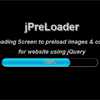
    Today I would like to share with you a brand new jQuery plugin, called jPreLoader. jPreLoadercan create a preloading screen for your website before all your images (including the images in CSS) are fully loaded. It will come in handy when you wish to preload all the images on your page before exposed to user. It’s useful for those games websites.

    Well, you can also create a Splash Screen during preloading process to introduce your products, or describe about your page, or show the instructions of gameplay as well as put an advertisement during the waiting time of your user.

    stickyMojo.js : Fixed positioned Sticky sidebar jQuery plugin

    stickyMojo.js : Fixed positioned Sticky sidebar jQuery plugin

    stickyMojo is a contained sticky sidebar plugin for jQuery. It is lightweight, fast, flexible and compatible with Firefox, Chrome, Safari, and IE8+. It will degrade gracefully in older versions of IE.

    Mac OS X Dashboard with jQuery

    Mac OS X Dashboard with jQuery

    This is an example of the Mac OS X dashboard featuring drag and drop icons, 3D flip apps with jQuery. Tranforms and transitions are used to achieve the best effects. Degrades for browsers that lack support.

    Features

    • Double click to exit the dashboard
    • Click the add button on the bottom left to toogle the dashboard dock
    • Drag an icon and drop to place an app
    • Click the (i)nfo button to flip the app

    Building Persistent Sticky Notes with Local Storage in jQuery

    Building Persistent Sticky Notes with Local Storage in jQuery

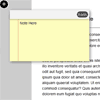
    HTML5 local storage is like cookies on steroids; it’s incredibly simple to use and yet still so powerful. In this tutorial, I’ll show you how to create “sticky notes” functionality, that allows your users to take persistent notes while browsing your site with jQuery.

    Magnifying Glass with jQuery

    Magnifying Glass with jQuery

    Zoom into html, text and images on a website using a magnifying glass. Works simply by duplicated the page content, enlarging and masking it using css and then using jQuery to move it around.

    Doubletake : jQuery plugin for responsive images

    Doubletake : jQuery plugin for responsive images

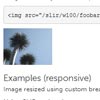
    Doubletake dynamically updates the src of your images based on the browser width. Start with a small, mobile-friendly image in your HTML. Doubletake will use a defined set of breakpoints to update image SRCs when necessary.

    I’m using a couple of tools to help me resize the images on this page – a local copy of SLIR and the src.sencha.io web service. If you aren’t comfortable resizing images on the fly, you could simply host multiple copies and then set the Doubletake breakpoints to the sizes you have created.

    jQuery responsive web

    jQuery responsive web

    It is a simple jquery plugin helping design more responsive and adaptive websites and web applications with almost no setup.It adds dynamic classes to the <body> depending on the operating system, browser and resolution.For ideal responsive web design css is just not enough. it chokes at some point, or has cross-browser and cross-platform issues much more than the wonderful jquery framework.

    I have tried it with microsoft internet explorer v7 and v8, firefox, google chrome, safari, opera on windows, and also with an android device. works perfectly on all of them. on the android device (samsung galaxy s) handles the orientation change nicely too.