

UIKit is a small (4kb minified / gzipped) collection of flexible, cohesive, decoupled components for the modern web. With an emphasis on structure-only styling making it simple to apply application specific styling. UIKit is not a replacement for larger UI frameworks, nor is it a CSS framework such as Bootstrap.
Best jQuery Web Plugins & Tutorials with Demo
Kern.JS : jQuery Make web kerning suck less
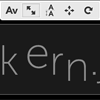
A super-simple bookmarklet for designers that finally puts you back in control of your website’s typography.
Here’s how it works: Add the bookmarklet to your browser and activate it while at your page. Then just click and drag to adjust your kerning, line-height, letter placement and more to your heart’s content! When you’re done, copy the generated CSS and use it in your own stylesheet, right there alongside Lettering.js.
jQuery Responsive IFrames

IFrames are commonly used to allow embedding of third-party content. Many popular services, such as YouTube and Facebook, make extensive use of IFrames in their embeddable widgets.
On a responsive website, all page components must be responsive. There are multiple ways of making an IFrame responsive. Some responsive IFrame use-cases can be solved with simple Javascript and CSS. Our library targets a challenging use-case in which embedded content:
Can have unknown width and height
Can have unknown width/height ratio
Can change its width or height as users interact with dynamic content and we want the size of the IFrame to change accordingly to avoid scrollbars.
Making IFrames with such constraints is a challenging task. We developed this tiny (0.9KB minified and gzipped) jQuery plugin, at NPR, to make the task easier.
For simpler use-cases, e.g. targeting the embedding of fixed ratio video content, you may want to check-out: FitVid.js, instead.
jQuery Floating Social Share Plugin: floatShare

If you have not connected your web content with social medial platforms, you are are just a step behind. All you need to do is add floatShare jQuery plugin on your website. It is a free jQuery plugin that allows your website visitors to share your web content on popular social media platforms with a single- click giving you good coverage and audience on multiple social media platforms. floatShare also gauges popularity of your web content by giving you a summary of total ‘shares’ and ‘likes’.
Features:
- Easy to integrate and customize.
- Three different sizes and styles of social buttons.
- Compatible with all major web browsers.
- Work with mobile devices as well.
- Customized with different start and end points.

Socialist : jQuery Social Media Feed Plugin

A jQuery Social Plugin to create a single social media stream from multiple social networks.Socialist is a jquery social plugin that creates a social stream (or social “wall”) from multiple social media feeds in one place. Use it to pull content from Facebook pages, Twitter, LinkedIn, YouTube and other social networks…
Features
- Uses AJAX to aggregate content from multiple sources
- Turns any DIV element into a social container
- Visually appealing responsive layouts, or simple list
- Supported numerous social and content sources — use it to visualize any “feed”
backgroundSize.js : jQuery cssHook adding support for “cover” and “contain” to IE6-7-8

A jQuery cssHook adding support for “cover” and “contain” to IE6-7-8, in 1.5K.All was well until I discovered the elegance of background-size: cover; and background-size: contain;. The first one, for instance, allows an image to completely cover a background, without having to send a 1920×1080 background image down the pipes.
Unfortunately, they don’t degrade gracefully: websites would likely appear broken to IE6-7-8 users 🙁 …unless you use this cssHook!
Dummy : A jQuery content generation toolkit for rapid web prototyping and QA

Dummy is a content generation toolkit designed to make the development, testing and presentation of web prototypes less time consuming and more realistic. It does so by making it easy to populate static HTML with dynamic content, and by randomizing elements within a layout on subsequent loads of a document, in a way, simulating connectivity to a live database.
Originally conceived as a tool for helping to simulate the high volume, rapidly changing content characteristics of online newspapers and magazines, it’s generalized enough to benefit the early stage front-end development of any website or application with content that frequently changes in length, form or nature.
It can also been seen as a support tool for designers and front-end artisans ready to embrace the dark art of designing in-browser, as vastly different layout permutations can be generated and evaluated rapidly with each load of the page. Problems and shortcommings can be more quickly exposed.
jReject: jQuery Browser Rejection

jReject provides a simple, robjust, light-weight way to display rejections based on a the browser, specific browser version, specific platforms, or rendering engine. Provides full customization of the popup. Uses no CSS file (by default), and can easily be used on page load or during a specific page event. Also provides a flexible way to beautifully and cleanly display custom browser alternatives in the popup.
Java MySQL JSON Display Records using jQuery

This is the continuation of my previous Java tutorial Insert Records into MySQL database using Jquery, now I want to explain how to convert records data into JSON data format and display JSON data feed using Jquery. It’s simple just follow few steps with Eclipse IDE, hope you understand the Model View Controller pattern Thanks!


