

A tutorial on how to create a fullscreen pageflip layout using BookBlock. The idea is to flip the content like book pages and access the pages via a sidebar menu that will slide out from the left.
Best jQuery Web Plugins & Tutorials with Demo


slimScroll : jQuery nice Scrollbar
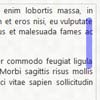
slimScroll is a small jQuery plugin that transforms any div into a scrollable area with a nice scrollbar – similar to the one Facebook and Google started using in their products recently. slimScroll doesn’t occupy any visual space as it only appears on a user initiated mouse-over. User can drag the scrollbar or use mouse-wheel to change the scroll value.
Feedget : jQuery RSS Reader
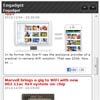
Feedget is a jQuery based RSS Feed reader plugin that allows you to easily include a simple RSS Feed widget on your website. There are several configuration options available that allow you to include feed images, navigation buttons or the Facebook Like button. Feedget is integrated with jQuery UI, so it’s very easy to customize. Compatible with all major browsers.
Twitter Bootstrap Multi-Color Progress Bar – a jQuery Plugin

Multi-Color progressbar component for Twitter Bootstrap creates a progressbar which consists out of three colors or zones.
- Green (bar-success)
- Orange (bar-warning)
- Red (bar-danger)
The progressbar consists out of three zones: safe, warning and danger. The safe zone is displayed in green, the warning zone in orange and red is used for the danger zone.
jQuery Starbox clone Plugin

This is an implementation of rating stars on top of jQuery. It follows the philosophy of the Prototype/Scriptaculous Starbox plugin but is not quite as sophisticated. It does not currently work well on IE 6!
But there are some great things about it: it is quite small, does not produce massive amounts of inline styles and is mostly compatible with existing css for the Prototype Starbox.
Dropbox File Uploader With Twitter Bootstrap

A few weeks ago, Dropbox introduced a neat new feature – the Dropbox Chooser. By embedding it into your website, you give users a button with which they can attach files from their online storage.
Today we are going to use this feature to create a simple application that allows people to attach a photo from their Dropbox account, crop an area with the Jcrop plugin, and download the result. Additionally, we will make use of Twitter Bootstrap to show dialog windows, and PHP on the backend for the actual photo cropping.


