

A functional test suite powered by jQuery and the test framework of your choice.FuncUnit enhances assertion libraries like QUnit and Jasmine, enabling them to simulate user actions, easily test asynchronous behavior, and support black box testing. Use it’s terse jQuery-like syntax to superpower your functional or unit tests.
Best jQuery Web Plugins & Tutorials with Demo
jQuery Fluid Content Scroller

jQuery Fluid Content Scroller Plugin makes navigation through long item lists like news, events, blog posts, etc. smooth and easy. Plugin is represented with the tabbed navigation panel at the top and at the bottom of the page / list container allowing to instantly scroll up and down to a particular post on the list.
Features:
- Responsive design
- Touch friendlyness
- Smooth animation
- jQuery 1.4.2+ or jQuery 2.x
- Free for non-commercial use
- Free updates
- Unminified source
- Cross-platform & cross-browser

Smart Content Protector – jQuery Copy Protection

Smart Content Protector jQuery is the jQuery Plugin to Protect the Text and Images in any site by including the js file. In order to avoid Plagiarism, it is essential to make sure the Text and Images from your site is not copied. This Plugin serves as the Content Protector for your site.
Text Protection features in this Plugin to disable the possible shortcut keys for copying the Text. Also this Plugin has Image Protection options to Disable the Image Dragging and Disable the Original Image to view. It also hides the link which shows the image link.
Features:
- Supported for Windows, Linux, Mac OS X? etc
- Protect your Text and Images by Disabling the Mouse Right Click and Possible Shortcut Keys for Cut (CTRL+x), Copy (CTRL+c), Paste (CTRL+v), Select All(CTRL+a), View Source (CTRL+u) etc.
- Enable or Disable Content Protection.
- Disable Image Dragging, Disable the Link which contain image extension etc.
- Works out of the box.
- Simple and Easy to use.
Readmore.js : jQuery plugin for Collapsing and Expanding Text Blocks

A smooth, lightweight jQuery plugin for collapsing and expanding long blocks of text with “Read more” and “Close” links.
The required markup for Readmore.js is also extremely lightweight and very simple. No need for complicated sets of divs or hardcoded class names, just call .readmore() on the element containing your block of text and Readmore.js takes care of the rest.
fullPage.js : jQuery Create Beautiful Fullscreen Scrolling Websites

A simple and easy to use jQuery plugin to create fullscreen scrolling websites. (also known as single page websites) It allows to create fullscren scrolling websites as well as adding some landscape sliders inside the sections of the site.
Features:
- Scroll within sections using they mouse wheel scroll
- Scroll within sections and within sliders using the arrow keys and the pageUp and pageDown keys
- Use a callback once the section has finished scrolling
- Use touch events for mobile and tablet devices
- Add a menu linked to to the sections
- Resize the sections size as well as the text when resizing the browser’s window
- Autoadjust itself to fit the current sectio/slide when resizing the browser’s window
- Admit some options such as the scrolling easing, the background color of the slides, the scrolling speed, loop options, callbacks and the vertical align of the text within the sections
jQuery.column : CSS3 column layout with jQuery
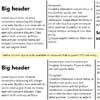
Simulate CSS3-style automatic columnization for the few browsers (IE) that don’t support it. It tries to follow CSS3 specification (http://www.w3.org/TR/css3-multicol/) closely.
This should point to the DOM node(s) that hold the content to be columnized. Typically this is a element, but other elements are possible.


