Best jQuery Web Plugins & Tutorials with Demo

    Hopscotch : jQuery Product Tour Plugin

    Hopscotch : jQuery Product Tour Plugin

    Hopscotch is a framework to make it easy for developers to add product tours to their pages. Hopscotch accepts a tour JSON object as input and provides an API for the developer to control rendering the tour display and managing the tour progress.

    Features:

    • Callbacks for tour events (e.g. onStart, onEnd, onShow, onNext, onPrev, onClose)
    • Multi-page persistence using HTML5 sessionStorage using cookies as a fallback
    • I18N support
    • Lightweight single callouts

    Rainbow.js : A jQuery library to manage Gradients Easily

    Rainbow.js : A jQuery library to manage Gradients Easily

    Rainbow.js is a small jQuery library that will allow you to create css gradients, with HTML only.

    Viewport Genie : Show Real Viewport Width and Height

    Viewport Genie : Show Real Viewport Width and Height

    Adds the real viewport width and height (in px and em) as an element on the body to help with obtaining values for responsive breakpoints.

    jQuery-lang : Replace alternate version of Text

    jQuery-lang : Replace alternate version of Text

    A jQuery-Plugin to replace alternate version of text for client side internationalization.To add two versions of a text string you can simply add your translation directly in markup.

    jQuery Favicons Plugin

    jQuery Favicons Plugin

    Add favicons to anchor elements on your page with jquery favicons plugin.

    PageLoader: A jQuery pre-loader with Content Slide-in

    PageLoader: A jQuery pre-loader with Content Slide-in

    PageLoader is a tiny, customizable add-on that gives your site an animated loading screen. It also adds a nifty slide-in animation to all your content; as the loading screen fades away, your content slides down in an unobtrusive yet memorable way.

    It’s a great and lightweight way to add spice to any website. Simply install the jquery plugin, and your website will instantly boast a little extra pizazz! Optionally, you can color customize the loading screen as well as the icon with just a few clicks, and give them both any color you choose.

    And, it works everywhere. It’s been tested on desktop browsers along with a variety of iOS, Android and Windows devices.

    Canvas add-on: Show content in a full-screen slide

    Canvas add-on: Show content in a full-screen slide

    Canvas was designed to be a simple and straightforward add-on that allows you to display information and content in a dedicated, full screen area separate from your main content. It’s responsive all the way down to tablets and smartphones, ready for retina screens, and is a great addition to any website.

    Insert text, images, videos, forms etc. as you would into any page on your website. Nothing except your needs and imagination stand in the way.

    jQuery Stickit : Sticky header, sidebar or else when scrolling

    jQuery Stickit : Sticky header, sidebar or else when scrolling

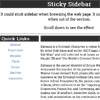
    This is a jQuery plugin provides a sticky header, sidebar or else when scrolling.

    Demo:

    ScrollStory : jQuery UI widget for Scroll-based pages and Interactions

    ScrollStory : jQuery UI widget for Scroll-based pages and Interactions

    A jQuery UI widget for building simple, scroll-based pages and interactions.

    Key features :

    • 100% style agnostic. Just a collection of often-used scroll-based patterns.
    • Can can you existing DOM or use an array of objects to create markup.
    • 16+ jQueryUI-style events/callbacks for various application state events.
    • Focus and blur event when an individual story becomes active or inactive.
    • Items can be grouped into categories, with event dispatched as categories change.
    • Items filterable by user-specified tags.
    • Items aware of their in-viewport status.
    • Programmatically animated scroll to any item.
    • Throttled scroll events and minimal DOM usage.

    Examples :


    Smart (Auto-Hiding) Website Header & Footer using jQuery

    Smart (Auto-Hiding) Website Header & Footer using jQuery

    There are plenty of reasons for using a sticky header navigation in your website. It provides easy access for top-priority links, plus a way back to the homepage from anywhere on the site. However problems may arise when you have a navigation bar which blocks some of the page content.

    In this tutorial I want to demonstrate how we can build a locking header bar which will auto-hide itself after scrolling down the page. Also when scrolling to the very bottom we will display a small footer which includes many of the same nav links.