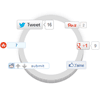
When it comes to attracting attention to yourself on the internet, nothing does a better job than share buttons. Whether its twitter or google plus, social media probably has a huge impact on your traffic. I set out to create an attention grabbing way to display buttons, and came up with this: a circle that expands revealing a bunch of share buttons on hover. Read on to learn out how to do it, and check out the demo!
Best jQuery Zoom Plugins & Tutorials with Demo



Magnifying glass for image zoom using jQuery and CSS3

Learn to make a realistic magnifying glass using Jquery and CSS3. Hover above the image to see the action.
The code uses CSS3 box-shadow and border-radius properties to create the magnifying glass. Jquery is used to position it at the cursor coordinates and change the background position accordingly.
Moving the cursor away from the image gently fades out the magnifying glass bringing the image back to the default state.
Expo360º : 360º Product Viewer in jQuery
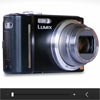
With Expo360° you take showcasing products on your website to the next level. Your customer not only gets a better look and feel of the product that you are presenting, it also is a cool feature on your website that will blow everyone away!.Opposite to existing 360° viewers available online, this viewer doesn’t use Flash and offers great interaction on mobile devices such as iPad and iPhone. What makes it even more unique is the extensive set of configurations possible. It allows you to create a look and feel that will match your online presence perfectly.
Features :
- Easy 360° views of your products;
- Easily change the width and height of the viewer;
- Loads external images;
- 100+ XML configurations;
- Add hotspots to show details;
- Custom grabhand cursor;
- Smart zoom functionality with mousewheel support;
- Optional zoom navigation window;
- Use as a fancy zoom/pan viewer with a single image.

Polar Gallery in jQuery
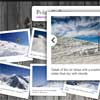
This item is an interactive, animated, Polaroid alike gallery. You can use this plugin to easly build a cool-looking gallery or a stand-alone nice photo.
- User can navigate throught the gallery using arrow keys.
- Navigation can be turned off if You do not want it.
- Photos can be rotated by the given or by the random degree.
- You can define maximal photo rotation and it’s zoom scale (to do not show the image which doesn’t fit the browser window).
- Every photo can have it’s title and subtitle.
- You can define an URL on which user will be redirected after clicking a zoomed photo.
- Photo’s subtitle can be a link as well.