

SlabText is a jQuery plugin for producing big, bold & responsive headlines . The script splits headlines into rows before resizing each row to fill the available horizontal space. The ideal number of characters to set on each row is calculated by dividing the available width by the CSS font-size – the script then uses this ideal character count to split the headline into word combinations that are displayed as separate rows of text.
Best jQuery Text Effect Plugins & Tutorials with Demo
Text with Moving Backgrounds with jQuery
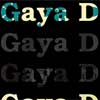
Personally, I am a huge fan of negative space in design. This got me thinking while I was trying to accomplish something different. Normally a textual caption would be positioned above a background, but I wanted to do it the other way around: place the background in the letters.
I also wanted to add some nice dynamic effects to enhance the effect. This was amazingly easy to accomplish in jQuery with the use of a little creativity.
jQuery InnerFade

InnerFade is a small plugin for the jQuery-JavaScript-Library. It’s designed to fade you any element inside a container in and out.
These elements could be anything you want, e.g. images, list-items, divs. Simply produce your own slideshow for your portfolio or advertisings. Create a newsticker or do an animation.
Arctext.js – Curving Text with CSS3 and jQuery

While CSS3 allows us to rotate letters, it is quite complicated to arrange each letter along a curved path. Arctext.js is a jQuery plugin that let’s you do exactly that. Based on Lettering.js, it calculates the right rotation of each letter and distributes the letters equally across the imaginary arc of the given radius.
jQuery Marquee
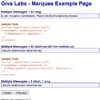
The jQuery Marquee plug-in converts a list element (<ul /> or <ol />) into an ESPN-style scrolling marquee. Messages are scrolled in from top or bottom (based on the yScroll option) and longer messages will then ticker to the left in order to show the full message. You can mouse over the message to prevent the message from scrolling—which is nice if your messages have embedded links.

Kinetic – jQuery Text Animation
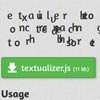
I thought about making one using jQuery. And I sort of did. It’s not exactly a “kinetic animation” but it just somewhat like it. And its very small. Usually kinetic animations are of at least a minute, this is just a few seconds. But hey, it’s all done using jQuery. This is just done to show that a kinetic animation can really be achieved using jQuery. I, being a jQuery n00b for now (and more when I made this), couldn’t do more with it. I still don’t know if we can rotate text in jQ, else that’ll be COOL!
How to Create a CSS3 3D Text Plugin for jQuery

Our jQuery plugin uses JavaScript to apply a CSS3 style. You’d normally avoid doing that since it’s be slower and, without JavaScript, the user won’t see the effect.
However, the 3D is unlikely to be essential and the plugin will save a significant number of development hours. If you still feel dirty, copy the generated text-shadow property from Firebug into your static CSS file.


