

Foggy is a jQuery plugin for blurring page elements. It supports IE (8 and up), Firefox, Safari and Chrome.
Best jQuery Text Effect Plugins & Tutorials with Demo
jQuery Flip-Quote
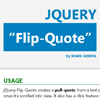
jQuery Flip-Quote creates a pull-quote from a text quote found in the document that flips once it’s scrolled into view. It also has a click feature that scrolls into and highlights the quote origin on the document.
The plugin optimizes CSS 3D transform and other CSS3 properties to give it a 3D depth and perspective. This has been tested on all modern browsers, for IE and older browsers the plugin also has a fallback support.
Hiding Overflowing Text Technique with jQuery & CSS
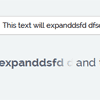
As web developers, we should build our sites so they accommodate variable lengths of text. You have to be sure that your markup looks just as good with a 50 character username as it does with a 5 character one. In the past, this was only possible by slicing text on the server side, or with JavaScript, but today we can do it only with CSS thanks to properties like max-width and text-overflow.

jQuery Collapser : jQuery plugin for Collapsing an Element Text
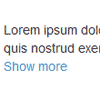
Collapser is a small and useful jQuery plugin for collapsing/truncating an element text by words, characters and lines with a flexible API. It is an all in one plugin with multiple functionalities to truncate a paragraph or any element as desired.
Features:
- Four modes of operation
- Truncate text by characters
- Truncate text by words
- Truncate text by lines
- Show/hide element
- HTML content present in the elements are preserved during the operation.
- Simple and flexible API for using in varied applications.
- Display remaining string count in the show/hide button.
- No complicated syntax or alterations required, can be used readily.
- Light weight only 4KB after minification.
- Works in all browsers. Tested till IE 7 and it works !
jQuery Cool Text – Incredible Animations

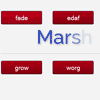
It would be virtually impossible to create complex text animations only with css transitions. With CoolText you can do that with few lines of javascript or html attributes. It comes with 300 ready-to-use animations and with a tool that let you create your animations packs. You can use it both via javascript and html markup. CoolText lets you animate letters or words, control speed and stagger, create animations sequences and so on. And it’s responsive and SEO friendly. CoolText takes advantage of the TweenMax power and of the jQuery flexibility.
BalanceText : jQuery plugin for implementing balancing of Wrapping Text

A jQuery plugin to provide an alternate text wrapping algorithm. I hope to get this into the CSS spec, so it’s implemented as a polyfill.
The default text rendering algorithm is:
- Add 1 word at a time to the current line until the next word won’t fit.
- Break text so that the next word starts on a new line.
- Repeat until all text has been rendered.


