

We will create a content panel that slides out at a predefined scroll position. It will reveal a teaser with related content and it can be expanded to full page size to show more. A custom slider allows to scroll through many items in the panel.Depending on how many items can fit to the user’s screen, we will adapt the item container in order make the maximum number of items fit, centering it horizontally.
Best jQuery Slider Plugins & Tutorials with Demo


jQuery Fullscreen Gallery with Thumbnail Flip

In this tutorial we will create a fullscreen gallery with jQuery. The idea is to have a thumbnail of the currently shown fullscreen image on the side that flips when navigating through the images. The big image will slide up or down depending where we are navigating to. We will add navigation controls for the mousewheel and for keys. The thumbnail will have a zoom and and a fullscreen option, making the image in the background appear in fullscreen mode or as a complete image, resized to fit in the page.
Compact News Previewer with jQuery
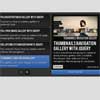
We will create a news previewer that let’s you show your latest articles or news in a compact way. The news previewer will show some list of articles on the left side and the preview of the article with a longer description on the right. Once a news on the left is clicked, the preview will slide in.
How to Make Auto-Advancing Slideshows with jQuery & HTML5

One of the most requested improvements over the tutorials presented on this site, when it comes to slideshows, is the ability to have the slides advance automatically. It is actually not that difficult to achieve this effect, and to demonstrate it, in this short tutorial we are going to make our HTML5 Slideshow auto advance with a few lines of jQuery.
jQuery Expand Stacked Images Using Slider with Demo

This time the post will show how to expand the stacked images with jquery, for the illustration, there is a stack of images that have very small margin between each image, and the slider have a function to make the margin larger, really easy to imagine right? Now to make it look stacked I’m using jquery plugin, the rotate3Di and of course the jQuery UI slider.

jQuery Portfolio Zoom Slider with Demo
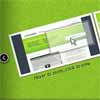
In this tutorial we are going to create some nice effects for a portfolio or similar website with jQuery. We will create a tiny slider and integrate it with the amazing Cloud Zoom plugin and the elegant Fancybox plugin.
The idea is to give the user the option to view details of a portfolio item by zooming it on hover, and to allow a full view by clicking. Moreover, we want to have a couple of images for each item, hence we will create a slider.


