Best jQuery Slider Plugins & Tutorials with Demo

    FueledWeb Pro Thumbnail Scroller with jQuery

    FueledWeb Pro Thumbnail Scroller with jQuery

    FueledWeb Pro Thumbnail Scroller is an advanced multipurpose jQuery plugin, html5 thumbnail scroller and image gallery.It is beautifully designed with 3D like effect and well developed with varieties of customization options, the plugin is perfectly used for product showcase, media gallery or item slider.

    Features :

    • Google font
    • AdvancedLightbox
    • Responsive Design
    • Over 50 plugin options and 25 theme variables
    • Custom look and feel of Scrollbar
    • Option to auto start from center item
    • Option to auto start slideshow with play and pause button
    • 5 Custom Event Handlers:
      • onSwitchItem
      • onSwitchCategory
      • onShowLightbox
      • onHideLightbox
      • onSwitchLightboxItem
    • Custom theming with 3 built in themes
    jQuery Featured 3D Slider

    jQuery Featured 3D Slider

    Featured 3D Slider is a jQuery plugin that converts static HTML content into a 3D stage with smoothly moving objects. It is very easy to integrate it in a WordPress theme or any website in general. Slides are just wrappers of whatever HTML content you can imagine – images, captions, links, buttons, icons.. even video embeds. Featured 3D is highly configurable. More than one sliders can be initiated on a single page, each one with its own configuration set of options. Please, check the live preview of this slider and get answer of the question “Is this possible without Flash, but just pure jQuery?

    Presenteer.js : jQuery HTML5 Presentation Tool

    Presenteer.js : jQuery HTML5 Presentation Tool

    Presenteer.js is a flexible HTML5 presentation tool that uses CSS3 transforms and transitions to make smooth HTML presentations.Works on Chrome, Firefox, Opera, Android, iPhone and IE9.It uses canvas, where canvas is a selector or jQuery element of the canvas on which the presentation is placed. It is this canvas that will be repositioned with CSS3 transform to slide a certain element into view.

    Multipurpose Bookshelf Slider – jQuery Plugin

    Multipurpose Bookshelf Slider - jQuery Plugin

    Multipurpose Bookshelf Slider is useful for displaying products such as books, magazines, dvd/cd and others. It’s a way to showcase products in an attractive manner. Features of “lightbox” to display images, videos (Youtube and Vimeo) and content with iframe. See the Live Preview for more details.

    Features :

    • Crossbrowser compatibility;
    • Set any size, width and height;
    • Gallery Navigation;
    • Lightbox;
    • Can display images, Videos (Youtube and Vimeo) and html content with Iframe;
    • Easing transitions;
    • Easy to configure and use;
    • Clean code. Minified only 12kb;
    • jQuery plugin. Compatible with jquery 1.4 or greater;
    • PSDs and examples included;
    • HTML documentation included;

    Minijs : jQuery Plugins made easy

    Minijs : jQuery Plugins made easy

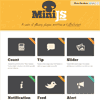
    MiniJs.com provides a suite of simple and consistent jQuery plugins written in CoffeeScript including image slider, tooltip and notification.

    Fathom.js : Making a presentation with jQuery

    Fathom.js : Making a presentation with jQuery

    Fathom.js – Present JavaScript in its native environment.If you’re making a presentation on JavaScript, make it in Javascript.

    Write your slideshow in HTML, style it with CSS and control it with some jQuery-powered JavaScript. When you’re done, Fathom.js even lets you sync the video of your presentation quickly and easily.

    Fathom.js comes with mouse, keyboard and scroll bar navigation built in and provides a simple API for creating your own custom interfaces.

    Flux Slider : jQuery CSS3 Animation based image transitions

    Flux Slider : jQuery CSS3 Animation based image transitions

    Flux slider is a CSS3 animation based image transition framework, inspired in part by the fantastic Nivo Slider jQuery plugin.

    Instead of the traditional Javascript timer based animations used by jQuery, Flux utilises the newer, more powerful CSS3 animation technology. Its in a fairly early/rough state at the moment but testing on the iPhone/iPad does appear to produce much smoother animations. Desktop performance (as with Nivo) is very smooth but the use of CSS3 enables us to produce some new effects that Nivo can’t, e.g. rotations.

    The aim is to use hardware acceleration where possible to improve performance on less powerful devices, such as mobiles & tablets.

    Rhinoslider : The flexible jQuery slider/slideshow

    Rhinoslider : The flexible jQuery slider/slideshow

    Rhinoslider is the most flexible jQuery slideshow there is. Be welcome to try it yourself. Not only do we offer a variety of effects, we also allow you to add your own styles, effects and features to the slider.To make the usage of Rhinoslider easier for you, we have developed a fancy generator. With the generator you can set up nearly all options and arguments, even if you’re not familar with the usage of jQuery plugins.

    jQuery gzoom plugin

    jQuery gzoom Plugin

    gzoom is a new jquery zoom plugin with following features :

    • Click on plus and minus to zoom
    • Drag the slider to zoom
    • Zoom using mousewheel hover the image
    • Moving mouse hover the image change the pan
    • Click on the image to show in lightbox style
    • jquery.ui framework styled

    TouchTouch – A jQuery Touch Optimized Gallery Plugin with Demo

    TouchTouch – A jQuery Touch Optimized Gallery Plugin with Demo

    I want to share a little experiment with our readers – TouchTouch. It is a jQuery plugin that turns a collection of photos on a webpage into a touch-friendly mobile gallery. It works on all major browsers (except for IE7 and below) and most importantly is specifically designed with iOS and Android in mind.
    Highlights

    • Smooth CSS3 animations and transitions;
    • A responsive CSS interface that fills the screen and responds to changes in device orientation;
    • Preloads photos only when they are needed;
    • Supports swiping through photos;
    • Displays onscreen arrows and listens for arrow key presses on desktop browsers;