Best jQuery Plugins Plugins & Tutorials with Demo

    Zebra_Dialog – a lightweight jQuery dialog box plugin

    Zebra_Dialog - a lightweight jQuery dialog box plugin

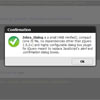
    Zebra_Dialog is a small and highly configurable dialog box plugin for jQuery, meant to replace JavaScript’s “alert” and “confirmation” dialog boxes and built using the jQuery Plugin Boilerplate.Can also be used as a notification widget – when configured to show no buttons and to close automatically – for updates or errors, without distracting users from their browser experience by displaying obtrusive alerts.

    Features:

    • great looks – out of the box
    • 5 types of dialog boxes available: confirmation, information, warning, error and question;
    • easily customizable appearance by changing the CSS file
    • create modal or non-modal dialog boxes
    • easily add custom buttons
    • position the dialog box wherever you want – not just in the middle of the screen
    • use callback functions to handle user’s choice
    jqDnR – Minimalistic jQuery Drag’n’Resize

    jqDnR – Minimalistic jQuery Drag’n'Resize

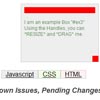
    jqDnR is a lightweight plugin for jQuery that lets you drag, drop, and resize elements. jqDnR provides the all the basic elastic functionality most dialogs will need. Basic and simple and easy to use.

    Features:

    • Drag + Drop Element Posistioning
    • South East Resizing
    • Definable Drag and Resize “handles”
    • Translucent Dragging, Preservation of Original Opacity

    jQuery-inlog

    jQuery-inlog

    jQuery-inlog allows you to easily debug your jQuery code. See exactly what you pass to functions, what they return and in which context (this-value) they were executed.

    • No more alert($obj.length) to see if your selector worked.
    • No more pain when chaining many calls and figuring out which one fails

    jQuery Spinner Control

    jQuery Spinner Control

    jQuery Spinner Control Converts the text input to a spinner control. This plugin works fine with ASP.net for the post backs.

    Important Features
    • Spin a number range:
      Provide a range of numbers with an interval to spin these values.
    • Spin a text list:
      Provide a list of comma separated values to spin these values.
    • Looping Spinner:
      once you reach to the end, it can automatically start over again and vice verse.

    Scrollorama jQuery plugin for doing cool scrolly stuff

    Scrollorama jQuery plugin for doing cool scrolly stuff

    Scrollorama jQuery plugin for doing cool scrolly stuff like transitions,fade in, rotate in, fly in, zoom in, parallax

    jQuery Noisy

    jQuery Noisy

    A jQuery plugin that adds random noise to the background of a given element.

    jCanvas – jQuery meets the HTML5 canvas

    jCanvas - jQuery HTML5 canvas

    jCanvas is a jQuery plugin that makes the HTML5 canvas easy to work with.

    FancyMoves a jQuery Product Slider

    FancyMoves a jQuery Slider

    FancyMoves has a lot of great features which are easy to edit to customize your slider. Easily change the speed of the slider, add multiple sliders on the same webpage, turn off the navigation below the slider, and much more.There are multiple ways to navigate to the next / last item: using your keyboard, using the left and right arrows on the sides of the slider, using the nav under the slider (optional), or simply clicking on the next or last item in the slider.

    jQuery FancyBox is built in so you can have images enlarge with an overlay effect on the screen. Hovering over the enlarged photo shows arrows, allowing you to navigate to other images within the group. FancyBox is easy to customize for your needs; change the transition effects, the background color, the title positioning, and more.

    jQuery ExCanvas World Map

    jQuery ExCanvas World Map

    Google Analytics has an excellent map of the world showing where your website visitors come from.While I can’t ever hope to compete with Google’s product, I do want to have a similar map within JAWStats which shows roughly the same sort of information. Ignoring the “clickable” nature of Google’s map at this stage (I’ll tackle that another day), dynamically drawing a map in a web browser isn’t so easy. Naturally, I thought Flash would be the answer but, never one for doing things the easy way, I wanted to try doing this directly in HTML’s <canvas> tag.

    jQuery TinySort a sorting plugin

    jQuery TinySort a sorting plugin

    TinySort will sort any nodetype by it’s text- or attribute value, or by that of one of it’s children.