jQuery collapse a lightweight jQuery plugin that enables expanding and collapsing content.This Plugin delivers an accessible and lightweight solution to a widely adopted interface pattern (known as progressive disclosure). It includes features like cookie persistence, ARIA compliance, and is designed to be flexible and modular enough to be used in many different’t scenarios.
Best jQuery Plugins Plugins & Tutorials with Demo

SimplyScroll a jQuery plugin for scrolling a set of images/elements

simplyScroll is a jQuery plugin that can animate (scroll) a set of elements either automatically or manually, horizontally or vertically. It can also accept dynamic image input via a Flickr feed (note not full API integration) or a local JSON source. This plugin can be performance intensive, so speed and framerate are fully configureable to accomodate lower spec systems.
jQuery tag input and autocomplete plugin : TextExt
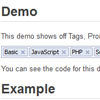
TextExt is a plugin for jQuery which is designed to provide functionality such as tag input and autocomplete.TextExt’s modular design allows you easily turn a standard HTML text input into a wide range of modern, tailored to your needs input field without bloating your source code and slowing down your site with the code that you aren’t using.
A wide number of plugins are available including Tags, Autocomplete, Filter, Ajax as well as a few which are purely aesthetic like Focus.
jQuery webcam plugin

The jQuery webcam plugin is a transparent layer to communicate with a camera directly in JavaScript.This plugin provides three different modes to access a webcam through a small API directly with JavaScript – or more precisely jQuery. Thus, it is possible to bring the image on a Canvas (callback mode), to store the image on the server (save mode) and to stream the live image of the Flash element on a Canvas (stream mode).
jQuery Marquee
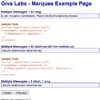
The jQuery Marquee plug-in converts a list element (<ul /> or <ol />) into an ESPN-style scrolling marquee. Messages are scrolled in from top or bottom (based on the yScroll option) and longer messages will then ticker to the left in order to show the full message. You can mouse over the message to prevent the message from scrolling—which is nice if your messages have embedded links.