

ResponsiveSlides.js is a tiny jQuery plugin that creates a responsive slideshow using images inside a single container. It work with wide range of browsers including all IE versions from IE6 and up. It also adds css max-width support for IE6 and other browsers that don’t natively support it. Only dependency is jQuery and that all the images are same size.
Best jQuery Plugins Plugins & Tutorials with Demo

Jeditable – Edit In Place Plugin For jQuery

Hi! My name is Jeditable and I am inplace editor plugin for jQuery. With few lines of JavaScript code I allow you to click and edit the content of different html elements. I am based on Dylan Verheul’s editable.Normal flow is this. User clicks text on web page. Block of text becomes a form. User edits contents and presses submit button. New text is sent to webserver and saved. Form becomes normal text again.
jQuery Notification System plugin : kiNotice

Today the majority of the web applications like news portals, social media platforms or administration interfaces contain a notification system that reminds the visitor/user about certain promotions or settings available.
The easiest way to show any kind of notification without obstructing the user’s view is by introducing the message in the bottom right corner of the screen (browser). This is where jQuery plugin kiNotice comes into play to help you do that with ease.
jQuery with Google Charts : gvChart plugin

gvChart is a jQuery plugin, that uses Google Charts API to create interactive visualization by using data from the HTML table tag.
Its very easy to create charts with gvChart jQuery plugin:
1. Create an HTML table
2. Download and initialize gvChart
3. Connect gvChart to your table
Easily customizable and allows to create Area, Line, Bar, Column and Pie charts.
Arctext.js – Curving Text with CSS3 and jQuery

While CSS3 allows us to rotate letters, it is quite complicated to arrange each letter along a curved path. Arctext.js is a jQuery plugin that let’s you do exactly that. Based on Lettering.js, it calculates the right rotation of each letter and distributes the letters equally across the imaginary arc of the given radius.
EasyDrag jQuery Plugin

I’m currently a little busy with some projects. In one of these projects I had to add a drag-and-drop behavior to some DOM elements, and for that I have created the EasyDrag jQuery plug-in that I’ll share with you now.
Its main purpose is to add the ability to drag and drop almost any DOM element without much effort. So it’s simple to use and you can also attach handlers both to the drag and to the drop events, which permits you to extend the basic functionality to whatever you need.

Cursor following menu with jQuery

A website navigation menu that follows the cursor, created with the jQuery framework and CSS that’s easy to implement and configure.The idea behind the script was to create a floating navigation that follows the moving cursor throughout the page. The goal was to make the menu itself as minimal as possible with “discreet” float animation to avoid obtrusiveness and help usability. The end result features simple markup, two levels navigation and styling via css.
jQuery Mapz
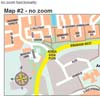
With Mapz you can easily create draggable image maps by just calling one function and by using some simple and clean HTML mark-up.This plugin lets you create draggable image maps.
Features
- Draggable map which means there are no image dimension limits.
- Zooming, no limit on the number of zooming levels.
- Zoom by arrow keys or by mousewheel (note: when using zoom by mousewheel, you’ll need Brandon Aaron’s mousewheel plugin)
- Use HTML <map> elements to create links inside your image maps. Let the plugin create multiple image maps for the different zooming levels.


