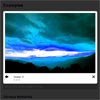
EasyBox is a lightbox clone based on the light-weight Slimbox2 script. It offers a variety of additional features such as:
- displaying YouTube and Vimeo videos,
- displaying inline content,
- displaying iFrames and
- better animations

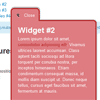
PullOuts is a stand-alone script based on a popular WordPress plugin – “PullOut Widgets”, and can be used on any website that supports HTML and JavaScript.PullOuts allows to grab any piece of content from a web page and display it as a pullout widget. Whether it’s a block of text, images, shopping cart, login, search or subscription form, a video or any other content – you can make it a pullout.
Features :

imJQMosaic is a simple jQuery plugin that creates mosaic pattern using an image.
This is a pure JavaScript based jQuery plugin. Apart of just creating the mosaic pattern on an image, it also facilitates the user to put menus on top of the mosaic tile(s). Hence, it can be beautifully used as navigation menu. It can also serve as a substitute to the popular Flash based navigations on the home pages of a website or application which unfortunately don’t work on mobile phones not supporting Flash content.
This plugin is based on the technique of CSS sprites and also uses some of the new features introduced in CSS3. The plugin requires latest browsers that support HTML5 and CSS3. In absence of adequate browser, the plugin gracefully degrades and still works! Ideal behavior of this plugin can be viewed in Safari 4 or Firefox 3.5. But it works with Chrome and IE 8 also.

pShadow, short for ‘paper shadow’, is a jQuery extension that adds realistic drop shadows to HTML elements, which works in Internet Explorer (IE8, IE7, IE6 with some clever trickery), Firefox, Chrome, Safari, Opera, and any other modern browser you care to mention. It’s free to download and use, and you can see an example on the demo page.
We all know that modern browsers (apart from IE anyway) support the lovely CSS3 box-shadow property. But there are times when we need to cater for IE too, and sometimes a simple box-shadow just doesn’t cut the mustard. The pShadow jQuery extension does what all great performers do – it masters the art of illusion.
The shadow itself is actually a .png image, carefully designed to sit on the bottom edge of an element and give impression of depth and shadow, as if the element was a piece of paper sitting on your screen. No shadows are needed on the other edges, because the bottom shadow does all the work for you. Your eyes do the rest and turn it into a 3-dimensional object.
There is the option of using one of the numerous lightbox plugins to do this, but the plugin we will be creating in this tutorial has a lot of advantages over a generic lightbox script:

If you are using normal Sign Up forms and still require a lot of data from your users, a multi-step form is the best solution. So the form is broken into small sections and the user only sees one section at a time. Also, multi-step forms reduces the space you need on the page.
In this tutorial I am going to show you how to make a multi-step Sign Up form using Rhinoslider. I think you would prefer seeing the demo first.In a multi-step form, once you complete the first step, the second step will be displayed and Step 1 will be hidden. Normally we use sliding effects in step transitions. So this a scenario where we can use a Slider differently from its default behavior of creating image slideshows.

geo-autocomplete converts any input field on a web page into an autocomplete field that suggests locations in real-time as you type, including a little thumbnail to help you quickly choose the right location. It’s like Google Instant for your Maps.
The Google Maps V3 API now incudes an autocomplete feature that will adapt any text input field to autocomplete locations &/or Places. It doesn’t show thumbnails yet but the addition of Places will be great for some use cases.

iosSlider is a jQuery plugin which allows you to integrate a customizable, cross-browser content slider into your web presence. Designed for use as a content slider, carousel, scrolling website banner, or image gallery.
Features :

jQRangeSlider is a jquery UI range selection slider that supports dates.
Features :


