

Tagyourimages is a plugin for jQuery that lets you to make interactive your images.Now you can insert text and links on your images!.Through the tagTool you can tag your images in the simplest way possible.
Best jQuery Plugins Plugins & Tutorials with Demo
jq.carousel : Simple and customizable jQuery Carousel

“jq.carousel” is a jQuery plugin you can implement a simple carousel and Customizable.Because they are designed to be flexible in various situations, can also be embedded in a responsive site for example.Because the default implementations of the indicator are here to inform the user, also perfectly navigation. Because the style indicator in the CSS, you can look you like.You can use an event that has been prepared in advance, the timing of any processing.
Primarywall : Sticky notes Wall build with node.js, socket.io & jQuery
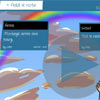
PrimaryWall is a web-based sticky note tool wall, build with node.js, socket.io & jQuery designed for schools that allows pupils and teachers to work together in real-time.Getting ideas, collaborating, sharing and quickly posting pieces of information when working in a group or collaborative environment.
PrimaryWall was concieved by a teacher and is built for schools so we kept things simple, fast and user friendly.
BlocksIt.js : Dynamic Grid Layout jQuery Plugin
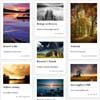
BlocksIt.js is a jQuery plugin for creating dynamic grid layout like Pinterest. It allows join of 2 or more blocks into a big block element.How? Well, simply specific the number of columns you wish to have and BlocksIt.js will do the rest for you. Also, you can even combine the ‘blocks‘ and make a huge block! So, let’s blocks it!
Create jQuery Pinterest Pin It Plugin

This plugin looks for all images, and wrap it inside a container that come with a pinterest Pin it button. So, your visitor just have to hover above the image they want, and pin it straight away. It’s a simple plugin.
As you might have noticed, nowadays, pinterest Pin count button can be found in most design websites, they also released a bookmarklet that scan a webpage for images and allow you to pin it easily. However, sometimes you might find it’s not that convenience when the page contain more than 30 images. It takes a while to find the image. As a result, I created this plugin that allow you to pin the image straight away.
jPreLoader : jQuery Preloading Screen to Preload Images
Today I would like to share with you a brand new jQuery plugin, called jPreLoader. jPreLoadercan create a preloading screen for your website before all your images (including the images in CSS) are fully loaded. It will come in handy when you wish to preload all the images on your page before exposed to user. It’s useful for those games websites.
Well, you can also create a Splash Screen during preloading process to introduce your products, or describe about your page, or show the instructions of gameplay as well as put an advertisement during the waiting time of your user.
Create a Sticky Navigation Header Using jQuery Waypoints
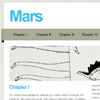
In this tutorial, we’ll be creating a navigation bar that stays with you as you scroll down — and we’ll also throw a gimmick or two into the mix to polish it off. we’re going to use one of HTML5′s new elements, the navtag, as a container for a horizontal list of links. I’ll briefly explain how to make it look pretty using a little bit of CSS.
Most importantly, you’ll make yourself familiar with the basics of jQuery’s Waypoints plugin, which will provide advanced functionality: as the user scrolls down, the navigation bar will stick to the top of the viewport, as well as change to indicate the current section. As a little added touch, we’ll use another plugin, ScrollTo, in order to provide smooth scrolling and convenient positioning when the user clicks on the navigation links.
ThumbFx : Responsive jQuery Thumbnail Effects

Enrich your website experience with ThumbFx, a jQuery animation plugin that brings your images and content to life. Create unique animated effects effortlessly without any knowledge of jQuery. All effects are responsive and adapt perfectly for all device resolutions like mobiles, tablets and desktops
Features:
- CREATE – Slideshows, lightboxes, overlays, tooltips, tabs, galleries, showcase and many many more..
- SIMPLICITY – No complicated HTML structure. Use it wherever you want, however you want. Works out of the box. No need to add confusing JavaScript tags, just add the files to your pages and you can control every settings from the HTML tag.
- RESPONSIVE – All effects are responsive and adapt perfectly for all device resolutions like mobiles, tablets and desktops.
- CROSS -BROWSER SUPPORT – Works great with all modern browsers like Firefox, Chrome, Safari, Opera and Internet Explorer 8 and above.
Responsive Slider jQuery Plugin : iView Slider

iView is easy to use jQuery image slider with animated captions, responsive layout and HTML Elements like (Video, iFrame) slider. Easily add unlimited number of slides and captions. Use it as image slider, image gallery, banner rotator, banner ads, or even presentation.
This jQuery plugin uses unobstrusive javascript to transform a block of simple HTML markup into a georgous elegant slider, which can be completely customized using HTML5 data attributes. The markup is valid HTML5 and SEO optimzied, with all content always being available to search engines. When using this plugin, your page layout will be consistent even if javascript has been disabled.
This slider includes 35 transition effects which is completely configurable and compatible with all major browsers (including ie6 to ie9, Firefox, Chrome, Opera, Safari) and mobile platforms like iOS / Android.


