Best jQuery Plugins Plugins & Tutorials with Demo

    CLEditor : WYSIWYG HTML editor in jQuery

    CLEditor : WYSIWYG HTML editor in jQuery

    CLEditor is an open source jQuery plugin which provides a lightweight, full featured, cross browser, extensible, WYSIWYG HTML editor that can be easily added into any web site.

    In addition to the standard text formatting features found in other WYSIWYG editors, CLEditor also contains rich drop downs for font name, size, style, text color and highlight color. CLEditor allows you to insert images, hyperlinks and horizontal rules.

    CLEditor provides a rich plugin development environment, allowing you to customize its user interface and functionality to fit your needs.

    Adaptor : jQuery 3D content slider

    Adaptor : jQuery 3D content slider

    Adaptor is a light-weight content slider that aims to provide a simple interface for developers to create cool 2D or 3D slide animation transitions.Currently, It has only added 3D support for webkit and Firefox, all other browsers will fallback gracefully to a simple fade transition when using the 3D effects.

    All 2D slide transitions have been tested in IE6+ and all other modern browsers.

    jQuery Metro Flexible Navigation

    jQuery Metro Flexible Navigation

    The jQuery Metro Flexible Navigation is a minimal, clean grid layout inspired by the new Windows 8 interface. It can be customized to be laid out horizontally or vertically. It’s scrollable and dragable at the same time and contains useful sliding controls. Icons can be changed, there is a large collection available.

    Features :

    • Layout orientation can be customized with a simple class atrribute
    • Scroll-able and drag-able with mouse events and touch swipes (iPad compatible)
    • Control buttons for sliding left, right, up and down the grid area
    • Auto-resize based on browser viewport
    • Well documented + free support + free updates

    HTML5 Sortable : jQuery plugin to create sortable lists and grids

    HTML5 Sortable : jQuery plugin to create sortable lists and grids

    HTML5 Sortable is a jQuery plugin to create sortable lists and grids using native HTML5 drag and drop API.

    Features :

    • Less than 1KB (minified and gzipped).
    • Built using native HTML5 drag and drop API.
    • Supports both list and grid style layouts.
    • Similar API and behaviour to jquery-ui sortable plugin.
    • Works in IE 5.5+, Firefox 3.5+, Chrome 3+, Safari 3+, and Opera 12+.

    jQuery Heat Map

    jQuery Heat Map

    Here is a very simple way ho to create a heat map with jQuery. The idea is to track the clicks of a user and then display the click pattern with semi-transparent dots on an overlay. You can try out the demo by first clicking around on the page and then clicking “Analyze”. Since the dots are semi-transparent, spots that have been clicked on more often, will appear slightly darker. Click on the overlay to make it invisible again and continue with the “recording”.

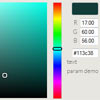
    Colorjoe : jQuery Scaleable color picker

    Colorjoe : jQuery Scaleable color picker

    Unlike many other colorpickers out there, colorjoe is truly scaleable. It is based on CSS and does not depend on external images. As a result, you can tweak its size to fit your purposes. Supports touch and AMD module definition as well.

    colorjoe was somewhat inspired by ColorJack and RightJS Colorpicker. Unlike those it actually scales pretty well. Essentially this means that you’ll be able to define its actual dimensions and layout using a bit of CSS. This way the widget fits well responsive layouts.

    In addition it’s relatively easy to implement missing functionality (RGB fields, whatnot) thanks to the simple API it provides.

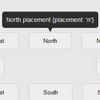
    PowerTip : jQuery plugin that creates hover tooltips

    PowerTip : jQuery plugin that creates hover tooltips

    PowerTip features a very flexible design that is easy to customize, gives you a number of different ways to use the tooltips, has APIs for developers, and supports adding complex data to tooltips. It is being actively developed and maintained, and provides a very fluid user experience.

    Features

    • Straightforward implementation
    • Supports static tooltips as well as tooltips that follow the mouse
    • Ability to let users mouse on to the tooltips and interact with their content
    • Mouse follow tooltips are constrained to the browser viewport
    • Easy customization
    • Works with keyboard navigation
    • Smooth fade-ins and fade-outs
    • Smart placement that (when enabled) will try to keep tooltips inside of the view port
    • Multiple instances
    • Works on any type of element
    • Supports complex content (markup with behavior & events)

    Status.js : Check your website for broken links with jQuery

    Status.js :Check your website for broken links with jQuery

    Check for broken links in yout website with jQuery.Status.js is a full client side tool, but still it makes a lot of requests to the server to crawl the entire website. So please, do not DDoS me!

    Status.js will scan the website it’s hosted on from the root (/) for links.Internal links will be followed (fetched through Ajax) and scanned again. Yes, it’s recursive.External links will be memorized and used for cross-referencies. You can’t check if an external link is broken with Status.js because of the cross-domain limitation of Ajax calls.

    A table with some nice data will be populated in real time while Status.js is working.

    jQuery Hotspot Map – Powerful annotations and tooltips

    jQuery Hotspot Map - Powerful annotations and tooltips

    Hotspot is a plugin for easily adding annotations, text, or other stuff to an image, on the exact locations that you want. It’s an old concept with one exception. It comes with a powerful editor for precise drawing and positioning of the spots. You can also edit settings, see a preview of the final result and the editor will generate the HTML and JS code for you!

    One of the most powerful features of this plugin is the editor that it comes with. You don’t need to manually specify coordinates and dimensions of each spot on the image. It’s all visual – click to add a spot, or click and drag to draw a rectangle. Then dial the settings, click “Generate” and you will see a preview of the final result!