

uiji is jQuery in reverse. Instead of using CSS selectors to find elements, you use the same syntax to create elements.
Best jQuery Plugins Plugins & Tutorials with Demo

fancyBox : Fancy jQuery Lightbox Alternative

fancyBox is a tool that offers a nice and elegant way to add zooming functionality for images, html content and multi-media on your webpages. It is built at the top of the popular JavaScript framework jQuery and is both easy to implement and a snap to customize.Fancybox has a following features Responsive (try resizing window while fancyBox is open),Integrated slideshow,New gallery transitions,Uses CSS3 (shadows, round corners).
BART : jQuery notification plugin

jQuery BART is a notification plugin for jQuery, or more appropriately an ‘annoyification’ plugin. As the purpose of this plugin is to present content on the page that will attract the user’s attention, it seemed to be a fitting name. If you feel that it’s an appropriate name, then all the better. However, if you feel, as some might, that I am trading heavily on the brand of the above-mentioned show(which I haven’t mentioned by name), then you can be very assured that BART is an acronym meaning: Broadcasting And Reporting Things
Users are used to seeing notifications in various ways appear on their computer. Whether you are a Mac, Linux, or PC user, those notifications typically appear in one of six places: Top, Bottom, Top Right, Bottom Right, Top Left, Bottom Left. Notifications typically are either a bar, or a bubble.
New Gmail like Floating Toolbar jQuery Plugin
This time Google has invested some resources in designing their sites. Like Gmail has been made much better. The new theme is simple and sober. I liked the floating toolbar of new Gmail. When I looked at it I thought why shouldn’t I create something like that for my readers. After that I created a jQuery plugin that floats any element on your webpage just like the Gmail’s toolbar. The plugin is really simple to use with few lines of code.
Timeliner : jQuery plugin to make an interactive, Historical timeline

Build a simple, interactive, historical timeline with HTML, CSS, and jQuery. The benefits of this timeline script are that it’s (1) fully accessible and 508 compliant (an original requirement) (2) simple, (3) able to handle nearly any form of content, and (4) printer friendly. There’s also plenty of room for you to get creative with the styling. (Please drop me a line if you do do something cool with it.)
The timeline was developed completely without the use of Flash, so it fully accessible, diplays on non-Flash supported devices like the iPhone, and prints nicely.

Transformer layout : jQuery plugin support for CSS3 media queries

Transformer layout jQuery plugin adds support for CSS3 media queries (min-width and max-width) across all browsers allowing you to develop layouts that adapt depending on the current window width, text size and zoom level without horizontal scrolling.
Each layout can then be liquid so as to always make the best use of space. This provides the benefits of both liquid and elastic layout approaches! That said, media queries can also be used to create fixed-width layouts that adapt for low resolutions.
jTabs : SEO & Mobile Friendly JavaScript Tabs
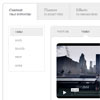
jTabs (other name Jaegers Tabs) built with modern web standards in mind, using custom JavaScript library (4kb gzipped).
The live preview includes default themes, available transitions, and describes key features, such as semantic HTML structure, responsive behavior, RTL support, and more.
Dancer.js : A high-level audio javascript API

dancer.js is a high-level audio API, usable with both Mozilla’s Audio Data API and Webkit’s Web Audio API with flash fallback, designed to make sweet visualizations.
Features:
- Use real-time audio waveform and frequency data and map it to any arbitrary visualization
- Use Dancer to get audio data from any preexisting audio source
- Leverage kick detection into your visualizations
- Simple API to time callbacks and events to any section of a song
- Supports Web Audio (webkit), Audio Data (mozilla) and flash fallback (v9+)
- Extensible framework supporting plugins and custom behaviours


