
A jQuery plugin help you to display fullscreen images with auto delay slideshow support.
Features:
- Scrollable thumbnails navigation.
- Auto delay slideshow.
- Fullscreen image.


Dasky is a jQuery timeline slider,you can use it to show you products’s chagelog/loadmark, or loadmark of you team/life. And others what you want. It based on the power of css transforms and will fallback in old browsers who do not support it.
Features:

A jQuery plugin for getting, setting and replacing the selected text in input fields and textareas.This jQuery plugin is for easily finding the starting and ending positions of selected text in text fields and textareas. It can also be used to set the selection, and replace the selection with given text (or insert text wherever the cursor is in the text field or textarea).

A jQuery plugin that lets you display instagram photos to your website. For the most part, Instagram’s API only requires the use of a client_id. A client_id simply associates your server, script, or program with a specific application. However, some requests require authentication – specifically requests made on behalf of a user. Authenticated requests require an access_token. These tokens are unique to a user and should be stored securely. Access tokens may expire at any time in the future.

The jQuery realtime library is a first attempt at making it really easy for anybody to add realtime data to a web page by just adding markup to a page and using jQuery and a jQuery library.
In this tutorial we’ll create a jQuery plugin that makes it really easy to add realtime content to a page by simply adding some markup. First, we’ll cover how to use a service called Pusher to subscribe to realtime data. Then we’ll define a way of marking up an HTML5 document with ‘data-*’ attributes in a way which can then be queried by our realtime jQuery plugin and converted to realtime data subscriptions. Finally, we’ll create the jQuery plugin which will use the attributes to subscribe to data and instantly display updates within the page.
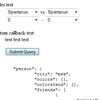
Convenient way to collect structured form data into JavaScript object. Because everything is better with jQuery, jQuery plugin added, check out jquery.toObject.js.
This is not a serialization library. Library used in example for JSON serialization is http://www.json.org/js.html Structure of resulting object defined by name attribute of form fields. See examples below. All this library doing is collecting form data and putting it in javascript object. Obviously you can get JSON/XML/etc string by serializing it, but it’s not an only purpose.