

Hatchshow will automatically add a span to each line of text and scale the font size so each line ends up the same width. This is another plugin that’s useful for creating classic or vintage designs.
Best jQuery Plugins Plugins & Tutorials with Demo
jQuery formHelp
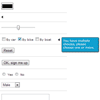
Providing contextual help in a standard HTML form requires all kinds of extra HTML and CSS (and JavaScript if you want it to play nice with the user). This plugin gives you an easy way to place contextual help at every input field in a form. All you have to do is insert a span element with the helptext and a reference to the corresponding input field and this plugin does the heavy work for you.
RTP.Slider.js: jQuery Touch Enable and Responsive Slider Plugin
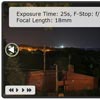
RTP.Slider.js is a versatile and flexible slider. Strong support for fluid / responsive Designs, mobile browsers and touch devices. It has nearly every feature that you can find in other sliders on the web.
Features:
- Carousel/Endless mode
- Support for touch events
- Simulated touch events via mouse
- Support for fluid viewports
- Also works in vertical mode
- Various widgets and plugins
- Autosliding with control widget
- Extensible through plugin hooks
- Custom animations for sliding
- Experimental 3d carousel widget
Shuffle.js : jQuery Shuffle Plugin

The Shuffle.js plugin that helps in categorizing, sorting, and filtering a responsive grid of items and laying out a group of items. Besides other cool features its a performant, responsive, and fast plugin.
This is a large improvement to shuffle. Most notably, the ability for masonry layouts. Other additions include adding/removing items, enabling/disabling, multiple instances on a page, and more!
NACHO Lightbox : Flat responsive lightbox with jQuery
NACHO Lightbox is the perfect plugin for showcasing images, videos, iframes and even ajax in a modern and usable manner that is available on every device.
Features:
- Flat skin – perfect for modern websites
- Responsive and beyond – very adaptable, perfect for desktop, tablet and even mobile. It hides the thumbnails on small screens to keep the media visible.
- Touch gestures – mouse and touch are unified, so you can do anything using either one.
- Blazing fast – Featuring some of the coolest CSS3 Effects out there, it takes advantage of the GPU on mobile devices.
- Responsive Videos from Youtube and Vimeo.
- Responsive fluid grid included to keep your images aligned.
- Powerful events API – you can control all the options through this easy to use API.
- Retina Graphics – Sharper on every screen
- Deep linking – So when someone shares your image will be taken directly to that image.
- No coding required – Using only jQuery selectors and HTML5 data attributtes
FlowType.js : jQuery plugin to Auto-resize the Font-size
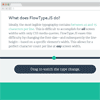
FlowType.JS is a jQuery plugin which can auto-resize the font-size and line-height (according to the width of the element wrapping it) so that our content is displayed just as we prefer. The plugin has options for setting the min/max font-sizes and min/max widths where the resizing will be triggered. It also works fine with webfonts and a nice demo shows how it works (just resize the browser for the demo page).
Loda Button : jQuery Animated Button icon with CSS3
Loda Button is a simple jQuery plugin animates the button’s icon as the data are being fetched from the server. The classes loda-btn and loda-icon are used by the plugin to style the button. The styling is quite simple and done in loda-button.css. The animation is created using CSS3′s animation, transitions and transforms, which are supported by Chrome, Firefox, Opera, and IE10.
slimMenu : jQuery Responsive & Multi-level Navigation Menus

slimMenu is a lightweight jQuery plugin, which is made to create responsive and multi-level navigation menus on the fly.With slimMenu, you’ll no longer struggle with media queries to create responsive menus, or any other heavy plugins to create multi-level nested menus.
Features:
- Multi-level nested menus.
- 100% mobile responsive menus.
- Multiple slimMenu navigations on the same page.
- Tap areas to toggle sub menus easily in touch devices.
- Hover option and effects for desktop version.
- Submenu indentation options for responsive version.
FailSafe : jQuery Plugin to make your App Robust

FailSafe is a jQuery plugin to help your application work correct even in peril situations. In other words, it takes care of situations like Lost Internet Connectivity and Low Battery Level. When a user loses Internet Connectivity or his laptop’s Charge goes down, this plugin shows a very user-friendly message to the user. Optionally, this plugin can also disable some of the elements in the page which may require proper Internet Connectivity or Higher Battery Level to function properly.
News Widget : jQuery Plugin
News Widget is a jQuery plugin that turns any list or news into a news slider. The plugin is extremely customizable with more than 28 options. The file includes a Full-Page Read More option and a widget Read More Option. You can also use this plugin with any RSS feed.
Features:
- External RSS Feeds
- 30+ Options
- Full-Page and Widget Modes
- Full control over size and style
- Set Height or News item count
- 8 Arrow Positions
- 10 Animations for anything that moves
- Full Control over animation duration, delay and ease
- Image Support
- External link support with in-article button compatibility
- Any HTML content can be placed inside news.


