

Auto layouting balloon popover always inside window for jQuery.To help creating your webapp editor window, balloon popover of charactor speech, etc.
Best jQuery Plugins Plugins & Tutorials with Demo
Readmore.js : jQuery plugin for Collapsing and Expanding Text Blocks

A smooth, lightweight jQuery plugin for collapsing and expanding long blocks of text with “Read more” and “Close” links.
The required markup for Readmore.js is also extremely lightweight and very simple. No need for complicated sets of divs or hardcoded class names, just call .readmore() on the element containing your block of text and Readmore.js takes care of the rest.
jQuery Extract the main Colour of an Image’s borders : Image-pixel-border

A very lightweight and simple jQuery plugin to extract the main color of an image’s border. Just pass a callback as first parameter of the getPixelColor which takes one parameter. The parameter send to your callback will be the hexadecimal color code.
In few words:
- Clone the image in a dynamically created HTML canvas element.
- Read the pixels of the TOP, BOTTOM, LEFT, RIGHT borders of the image
- Extract the most frequent color
- Return the extracted color to your callback
CLNDR.js : A jQuery Calendar Plugin
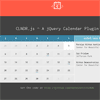
CLNDR is a jQuery plugin for creating calendars. Unlike most calendar plugins, this one doesn’t generate markup. Instead you provide an Underscore.js HTML template and in return CLNDR gives you a wealth of data to use within it.
CLNDR takes an array of event objects and weaves them into the days array in your template. This means you can pass in as many events as you want and CLNDR will make sure they show up when you need them.
fullPage.js : jQuery Create Beautiful Fullscreen Scrolling Websites

A simple and easy to use jQuery plugin to create fullscreen scrolling websites. (also known as single page websites) It allows to create fullscren scrolling websites as well as adding some landscape sliders inside the sections of the site.
Features:
- Scroll within sections using they mouse wheel scroll
- Scroll within sections and within sliders using the arrow keys and the pageUp and pageDown keys
- Use a callback once the section has finished scrolling
- Use touch events for mobile and tablet devices
- Add a menu linked to to the sections
- Resize the sections size as well as the text when resizing the browser’s window
- Autoadjust itself to fit the current sectio/slide when resizing the browser’s window
- Admit some options such as the scrolling easing, the background color of the slides, the scrolling speed, loop options, callbacks and the vertical align of the text within the sections



jQuery.column : CSS3 column layout with jQuery
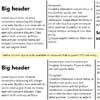
Simulate CSS3-style automatic columnization for the few browsers (IE) that don’t support it. It tries to follow CSS3 specification (http://www.w3.org/TR/css3-multicol/) closely.
This should point to the DOM node(s) that hold the content to be columnized. Typically this is a element, but other elements are possible.


