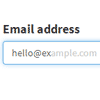
A jQuery plugin that suggests and autocompletes the domain whenever your users type in an email address field.Press the tab-key, or simply click on the suggestion to automatically fill in the rest of the domain.
Best jQuery Plugins Plugins & Tutorials with Demo
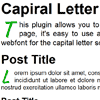
jQuery Boilerplate : A jump-start for jQuery plugins development

So, you’ve tried your hand at writing jQuery plugins and you’re comfortable putting together something that probably works. Awesome! Thing is, you think there might be better ways you could be writing them – you’ve seen them done a number of different ways in the wild, but aren’t really sure what the differences between these patterns are or how to get started with them.
This project won’t seek to provide a perfect solution to every possible pattern, but will attempt to cover a simple template for beginners and above. By using a basic defaults object, simple constructor for assigning the element to work with and extending options with defaults and a lightweight wrapper around the constructor to avoid issues with multiple instantiations.
Canvas add-on: Show content in a full-screen slide

Canvas was designed to be a simple and straightforward add-on that allows you to display information and content in a dedicated, full screen area separate from your main content. It’s responsive all the way down to tablets and smartphones, ready for retina screens, and is a great addition to any website.
Insert text, images, videos, forms etc. as you would into any page on your website. Nothing except your needs and imagination stand in the way.
jQuery Collapser : jQuery plugin for Collapsing an Element Text
Collapser is a small and useful jQuery plugin for collapsing/truncating an element text by words, characters and lines with a flexible API. It is an all in one plugin with multiple functionalities to truncate a paragraph or any element as desired.
Features:
- Four modes of operation
- Truncate text by characters
- Truncate text by words
- Truncate text by lines
- Show/hide element
- HTML content present in the elements are preserved during the operation.
- Simple and flexible API for using in varied applications.
- Display remaining string count in the show/hide button.
- No complicated syntax or alterations required, can be used readily.
- Light weight only 4KB after minification.
- Works in all browsers. Tested till IE 7 and it works !
jQuery Turtle : Turtle Graphics for jQuery

jQuery-turtle is a jQuery plugin for turtle graphics.With jQuery-turtle, every DOM element is a turtle that can be moved using turtle graphics methods like fd (forward), bk (back), rt (right turn), and lt (left turn). The pen function allows a turtle to draw on a full-document canvas as it moves.
Features:
- Relative and absolute motion and drawing.
- Functions to ease basic input, output, and game-making for beginners.
- Operations on sets of turtles, and turtle motion of arbitrary elements.
- Accurate collision-testing of turtles with arbitrary convex hulls.
- Simplified access to CSS3 transforms, jQuery animations, Canvas, and Web Audio.
- An interactive turtle console in either Javascript or CoffeeScript.
jQuery Responsive Countdown with Visual Builder

This is a javascript based tool that uses the canvas object to animate SVG defined drawings. The tool uses a flip animation to display the remaining time to or the elapsed time from a target date. The tool detects change of width and height of its container object and responds accordingly. Since it uses vector data to draw the digits and the panels of the countdown, there is no change in the quality of the displayed drawings when it gets resized. The tool features around 30 options to customize but it can also be used in a simple configuration.
Features:
- Responsive behavior. The tool scales according to available width.
- Visual tool that assist you to create your unique countdown.
- Infinite color combinations. Solid color for the digits. Gradient color for the panels.
- Show hide groups.
- Two perspective modes.
- Two sets of digits. Three sets of panels.
- Setting of time zone.
- Setting of label captions.
- Setting of labels font and size.