
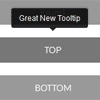
A jQuery plugin for simple tooltips. Part of the formstone library.Tipper will generate a tooltip based on the target element’s data-title. It can also be configured to open in multiple directions by passing the direction at initialization.
Best jQuery Plugins Plugins & Tutorials with Demo
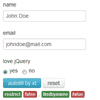
Scroll Animation WordPress Plugin

Animate your WordPress content while user scrolling.
- CSS3 transition.
- Optional animation style.
- Optional jQuery selector of the WordPress content you want to animate.
- Animation trigger when user scroll to the content, you can customize the offset in the backend.
- Optional to enable the scroll animation in a certain post/page only.
- Compatible with latest jQuery and latest WordPress.
- Enqueue the js and css only when needed. Keep WordPress page size smaller.

Pushy : jQuery Off-Canvas Navigation Menu

Pushy is a jquery responsive off-canvas navigation menu using CSS transforms & transitions.
Features:
- Uses CSS transforms & transitions.
- Smooth performance on mobile devices.
- jQuery animation fallback for IE 7 – 9.
- Menu closes when a link is selected.
- Menu closes when the site overlay is selected.
- It’s responsive!

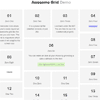
Magic Responsive Slider & Carousel jQuery WordPress Plugin

Magic Slider and Carousel will help you to create the next generation of sliders, using the CSS3 transitions for layers and an ultra-smooth KenBurns effect. You’ll also be able to create interactive ‘magic’ carousels with YouTube, Vimeo and HTML5 video support; HTML5 audio support; Image support; Links support.
Features:
- touch screen navigation support for mobile
- responsive design – available parameter to disable responsive behaviour
- multimedia support: Images, YouTube, Vimeo, HTML5 video and HTML5 audio. HTML5 video and HTML5 audio will not work in IE7 & IE8
- lightbox support
- border – you can set the border size and border color for active and inactive image.
- Fixed Dimensions Version, Full Width Version and Responsive Version
- circle timer parameters for color, dimensions, transparency (available only for Perspective version)
- width & height parameters
- it supports links for each image with parameter for _self or _blank
- autoplay parameter
jQuery Plain Overlay Plugin
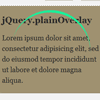
The simple jQuery Plugin for customizable overlay which covers a page, elements or iframe-windows that is specified. plainOverlay has basic functions only, and it has no image files and no CSS files.Your progress-element (messages or images that means “Please wait…”) can be shown to users on the overlay. You can free style it to perfect match for your web site. Or plainOverlay has a simple builtin progress-element.
plainOverlay do:
- Covering a page, elements or iframe-windows that is specified with overlay.
- Avoiding focusing elements under overlay. (by pressing Tab key)
- Avoiding scrolling a page, elements or iframe-windows that is specified.
Magic Move : jQuery Animate DOM transitions Plugin
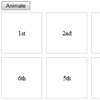
The library works by appending a separate and hidden clone of the element you’re transitioning to the page. Any DOM manipulation you do is actually manipulating that clone. Then, when you’re finished, the library looks at the difference between the element’s current position, and the clone’s position, and animates between them (using CSS transitions).


