
Whenever a change event happens any <input> element on the page, the elements new value will save to the specified url. It will also send all other data-* attributes, as well as the ‘name’ and ‘value’ attributes.
Best jQuery Plugins Plugins & Tutorials with Demo

jQuery TreeSelect : Hierarchy Select widget
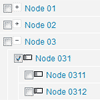
A minimalistic jQuery hierarchy select widget used for selecting hierarchy structures in a treeview format.This widget is used for transforming a hierarchy HTML lists with input’s into a hierarchial tree select tool. You can also call this widget with a structured JSON list and it will convert it to an HTML hierarchy select tool of those items.
Multi-Screen.js : jQuery plugin Turns a Single page into Collection of Screens
A simple, lightweight, and easy to use jQuery plugin which turns a single page into a collection of screens with animated navigation.
Multi-Screen.js makes it easy to change the defaults for the animations, their times, the starting distance between the entering and exiting screens, and whether the animations should occur synchronously or asynchronously.


Seamless.js : jQuery library for Seamless iframes
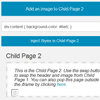
A seamless iframe makes it so that visitors are unable to distinguish between content within the iframe and content beside the iframe. Seamless.js is a jQuery library that makes working with iframes easy by doing all the seamless stuff for you automatically. Stuff like…
- Automatically adds ‘seamless’ attributes to an iframe.
- Easy communication between parent page and iframe page.
- Auto-resizing the iframe to fit the contents of the child page.
- Loading indicator when the child page is loading.
- Auto failsafe to open iframe in separate window in case of error.
- Inject CSS styles into the child pages.
- Easily manage multiple iframes on the same page.
- Allow the child page to pop out of the parent page.

jQuery.tap : jQuery Click alternative for Touch enabled browsers
jQuery tap is a jQuery plugin that creates a click alternative for touch enabled browsers.jQuery.tap listens for both touch and mouse events and will use the first event that is fired to detect a tap.
If the browser does not support touch events, then the regular mouse events to create a tap event. No need for if/else statements, jQuery.tap will do that for you.


