Best jQuery Plugins Plugins & Tutorials with Demo

    jQuery WikiNav

    jQuery WikiNav

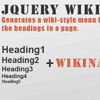
    WikiNav is a jQuery plugin to create a wiki-style menu from all existing headings on your page. With few lines of JavaScript code you can achieve an elegant menu for your documentation.

    Features:

    • Easy Setup
    • Full jQuery & css compatible
    • Responsive Design
    • Animated Scroll To

    tableExport : jQuery Plugin to Export HTML Tables

    tableExport : jQuery Plugin to Export HTML Tables

    tableExport is a jQuery plugin to export HTML Table to JSON, XML, PNG, CSV, TXT, SQL, MS-Word, Ms-Excel, Ms-Powerpoint, PDF.

    YouTube And Vimeo Video Player With Playlist

    YouTube And Vimeo Video Player With Playlist
    • YouTube and Vimeo Support
    • Customizable Color Scheme
    • Responsive Design
    • Mobile Compatible
    • Playlist With 3 Versions
    • Multiple Parameters
    • Fixed And Full Width Versions
    • 16 Photo Transition Effects (only for images)
    • Layered Text Elements (only for images)
    • Link For Each Slide (only for images)
    • Touch Screen Navigation (only for images)
    • Circle Timer (only for images)

    jQuery Bootstrap Auto-Hiding Navbar

    jQuery Bootstrap Auto-Hiding Navbar

    jQuery Bootstrap Auto-Hiding Navbar is an extension for Bootstrap’s fixed navbar which hides the navbar while the page is scrolling downwards and shows it the other way. The plugin is able to show/hide the navbar programmatically as well.

    TweeCool : jQuery Twitter feed Plugin

    TweeCool : jQuery Twitter feed Plugin

    TweeCool is a free web application that helps you to display your Twitter feed on your website.

    Filtering Highlight : jQuery plugin for Highlight Text

    Filtering Highlight : jQuery plugin for Highlight Text

    Simple jQuery plugin support highlight text which is typed in specifed element.

    jQuery Keep Form Data

    http://aishek.github.io/jquery-keepFormData/

    This jQuery-plugin allows you to restore the values of the form’s fields, the state of checkboxes, radio buttons and select elements that the user entered, after reloading the page. By default, values ​​are stored until form’s submit.jquery-keepFormData keeps values in localStorage.

    miSlider : jQuery Multi-Item Slider Plugin

    miSlider : jQuery Multi-Item Slider Plugin

    Multi-item Slider or miSlider is an open-source jQuery slider plugin specifically designed for displaying multiple images or slides of content. The slider can be configured to display one slide at a time, as many slides as possible or anything in between.

    Features:

    • Easy to use
    • Supports one or more slides on screen
    • Slides can be single images or complex HTML
    • Lightweight
    • Only requires jQuery core
    • Responsive – Can automatically calculate the number of slides that fit on screen
    • Easily customizable
    • Callbacks for slider events
    • Cross-Browser Support – Supports IE8+

    Build a Dynamic Grid with Salvattore and Bootstrap

    Build a Dynamic Grid with Salvattore and Bootstrap

    Salvattore touts itself as a jQuery Masonry alternative with one important difference: it uses CSS configuration instead of JavaScript. These kinds of grids can be seen all over the web, probably most famously on Pinterest.

    Today, we will use Salvattore in combination with Twitter Bootstrap 3 to make a responsively awesome flowing grid structure.

    ScrollMe : jQuery plugin for Animated Scrolling Effects

    ScrollMe : jQuery plugin for Animated Scrolling Effects

    Scrollme is a jQuery plugin for adding simple scrolling effects to web pages. As you scroll down the page ScrollMe can scale, rotate, translate and change the opacity of elements on the page. It’s easy to set up and not a single line of javascript is required.