Best jQuery PHP Plugins & Tutorials with Demo

    Awesome jQuery Mobile Image Gallery Web App

    Awesome jQuery Mobile Image Gallery Web App

    With more and more users browsing the web with a mobile device, it’s time to begin with mobile web development. In this tutorial we are going to develop a simple mobile image gallery using the amazing jQTouch jQuery plugin for mobile web development. jQTouch is a jQuery plugin with native animations, automatic navigation, and themes for mobile WebKit browsers like iPhone, iPod Touch, G1, and Pre.

    Our little application is going to show some albums in a list view which will reveal a wall of thumbnails once it’s clicked. When a thumbnail is clicked, we get to the full image view where we can navigate through all the photos by either clicking on the navigation buttons or swiping over the image.we will be using PHP to automatically generate albums with PHP from the folder structure.

    jRecorder : jQuery Flash Recording plugin

    jRecorder : jQuery Flash Recording plugin

    jRecorder is a jQuery plugin to enable a flash recorder in your webpages. You DON’T need to have a flash streaming server or RED5 server to do this recording.
    Features :

    • You DON’T need any flash knowledge to implement this recorder in your web page
    • you DON’T need a flash media server (RED5) for recording audio
    • You can design your record button, recording progress bar, recording input sound level with HTML+ CSS
    • You can save the recorded audio file in WAV format into your PHP server, using 2 lines of PHP code
    • This recorder record voice using browser’s flash and save in browser temporary and when user finish recording, it send the file as POST to your PHP server (a php file)
    • *NEW: You can preview the recorded voice before sending to Server

    jqmPhp : HTML Code Generator for jQuery Mobile Framework

    jqmPhp : HTML Code Generator for jQuery Mobile Framework

    jqmPhp is a package of PHP classes that facilitates the creation HTML files for use with jQuery Mobile Framework. All classes in the jqmPhp package can be converted to string and printed with an echo function.

    How To Build A Real-Time Commenting System in PHP, Ajax, jQuery, HTML5

    How To Build A Real-Time Commenting System in PHP, Ajax, jQuery, HTML5

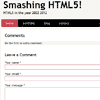
    The Web has become increasingly interactive over the years. This trend is set to continue with the next generation of applications driven by the real-time Web. Adding real-time functionality to an application can result in a more interactive and engaging user experience.

    In this tutorial, I’ll show how to convert a basic blog commenting system into a real-time engaging experience where you’ll see a comment made in one browser window “magically” appear in a second window.

    FoxyComplete : Advanced autocomplete search with images

    FoxyComplete : Advanced autocomplete search with images

    Today I am going to share a trendy functionality which I have been implementing in my projects for a while now.

    I call it “FoxyComplete” and what is does is fetch clickable search results along with images either automatically scraped from the result’s content or a specified file. It’s easy to implement and once done, easy to tweak.

    Create an Infinite Scrolling Gallery with jQuery,PHP,Ajax

    Create an Infinite Scrolling Gallery with jQuery,PHP,Ajax

    Pagination is a technique used to break large data sets into small blocks in order to reduce the server load. We used to create pagination buttons with page numbers and next/previous links. Now pagination has gained a new perspective with infinite scrolling.

    Infinite scrolling is where you can keep scrolling and data will keep coming until all the data is displayed. In this technique, the first set of data will be displayed initially. Once you scroll to the end of the window the next page of data will be generated and so on. No pagination buttons are required and you get the data on demand. Let’s see how we can create infinite scrolling.

    Facebook like photo gallery with comments with jQuery and PHP

    Facebook like photo gallery with comments with jQuery and PHP

    Have you thought about own facebook-style photo gallry system with comments? I think – yes. Today I made up my mind to prepare it for you. Main idea – when we click at images – they popup (ajax) with bigger image at the left and comments section at the right. All images are in the database (mySQL). And, of course, we will use PHP to achieve our result. Also, our comment system will prevent accepting more than 1 comment per 10 mins (to avoid spam).

    ezEditTable – Enhance Html Tables in jQuery

    ezEditTable - Enhance Html Tables in jQuery

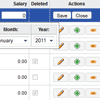
    ezEditTable 2.0 is a javascript code aimed at enhancing regular HTML tables by adding features such as inline editing components, advanced selection and keyboard navigation. With just a line of code you can easily convert a regular HTML table in an advanced editable and selectable grid control.

    Features:

    • Attach to an existing HTML table
    • Advanced selection model
    • Extended keyboard navigation
    • Inline cell or row editing
    • Insert and remove rows
    • Send changes to server via GET or POST methods by form submission or by including script elements in the head section (only GETs)
    • Integration with any server-side technology as this is a pure client-side solution
    • Callbacks for all events, and delegates for most actions
    • Based on plain javascript, that is, independent from any javascript framework but compatible with any of them (no for..in etc.)
    • Exhaustive documentation and API

    Stream Radio Script with jQuery ,CSS3 and PHP

    Stream Radio Script with jQuery ,CSS3 and PHP

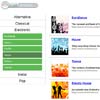
    Today I have prepared another really great tutorial for you. Recently I have started development of my own radio software (as module for Dolphin CMS) and got interesting results. So, I would like to share you with some results about it. It will be nice looking (CSS3) radio script. It consists from three main elements: header (with nice animated search bar and integrated radio player), left side (with list of categories and subcategories) and right side (which will contains list of recent/ or filtered stations).