Best jQuery Menus Plugins & Tutorials with Demo
    Above & Beneath: Featured Content Layout Effect with CSS

    Above & Beneath: Featured Content Layout Effect with CSS

    Today we’d like to share a little aquatic landing page template with some special effects with you. The idea is to show a big headline in the initial view and when a grid/menu icon is clicked, the view slides down (below the water) and some featured content or menu items get shown. The transitions are accompanied by some fitting background sounds.

    jQuery floating Menu Plugin

    jQuery floating Menu Plugin

    This plugin requires jQuery! floatingMenu is a global-dynamic plugin which means you dont have to worry about dynamically added/created elements. For performance reasons the plugin clears its own initiation events when not visible.

    booNavigation : jQuery Mega Menu plugin

    booNavigation : jQuery Mega Menu plugin

    booNavigation is a smooth and dynamic jQuery navigation plugin with a three column drop down.

    contextMenuRtl : jQuery Context Menu

    contextMenuRtl : jQuery Context Menu

    The contextMenu Plugin was designed for web applications in need of menus on a possibly large amount of objects.jQuery-contextMenuRtl is rtl support for jQuery-contextMenu.

    Dice Menu : jQuery Floating Menu Plugin

    Dice Menu : jQuery Floating Menu Plugin

    Dice menu is a jQuery fixed location floating menu (expandable).

    Auto-Hiding Navigation with CSS & jQuery

    Auto-Hiding Navigation with CSS & jQuery

    A simple navigation that auto-hides when the user scrolls down, and becomes visible when the user scrolls up.

    Hotmenu : jQuery Responsive Full Screen Menu

    Hotmenu : jQuery Responsive Full Screen Menu

    Hotmenu is a responsive, full-screen jQuery menu.

    Add to Cart Interaction with CSS & jQuery

    Add to Cart Interaction with CSS & jQuery

    A floating cart that slides in when the user decides to buy an item.

    We’re used to different patterns when it comes to the “add to cart” process. The basic idea behind this pattern is to notify the user that an item has been added to the cart, and provide her/him with a link to proceed to the checkout.

    CSS Vertical Navigation with Teaser

    CSS Vertical Navigation with Teaser

    This article explains how to create vertical navigation menus without jquery or javascript. Yes, we are going to build vertical menus with CSS only. The navigation menu of a website plays a significant role in website’s usability and User Experience. Without menu navigation site is like content all but useless.
    Bootsnav : Bootstrap Menu Multi Purpose Header

    Bootsnav : Bootstrap Menu Multi Purpose Header

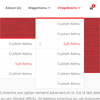
    Bootsnav is a multi purpose header based with Bootstrap, you can build any header style with bootsnav only with a few minutes.