Best jQuery Menus Plugins & Tutorials with Demo

    jQuery Glyph Menu

    jQuery Glyph Menu

    The script is a complex jQuery elegant Glyph drop-down Menu (horizontal and vertical) with huge possibilities for any project. Easy to use.

    • You can set method of open – mouseover and click
    • You can set different colors for each item.
    • You can set default color for all items
    • You can disable backgrounds of icon and link
    • Possible to auto-open an item on subpage
    • a simple menu structure.
    • Easy to change the appearance via CSS .

    Create a Ribbon DropDown Menu with CSS3 and jQuery

    Create a Ribbon DropDown Menu with CSS3 and jQuery

    In this tutorial, I’ll show you how to create a simple ribbon dropdown menu using CSS3 and jQuery. The menu is cross-browser compatible so it will be easy for you to adapt in your project. And to spice up a little bit the menu, I used the superfish javascript class and “Oswald” font from Google fonts library.

    In the downloaded archive you’ll also have acces to the PSD file, in case you need to change the design. Let’s see now how the CSS3 dropdown menu was done.

    SelectNav.js :Responsive Drop-Down menu in JavaScript

    SelectNav.js :Responsive Drop-Down menu in JavaScript

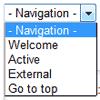
    SelectNav.js is a JavaScript plugin that lets you convert your website navigation into a select drop-down menu. Used together with media queries it helps you to create a space saving, responsive navigation for small screen devices.SelectNav.js adds a js class to the html element. Thanks to this, when JavaScript is disabled the default navigation will be visible. Selectnav.js works with every navigation in form of ul or ol lists that follow the example above.

    Mobile Navigation Design & Tutorial with jQuery

    Mobile Navigation Design & Tutorial with jQuery

    One of the common challenges when designing responsive design for mobile is the navigation menu. If the site has many sections or pages, it gets challenging to squeeze all the items into a small mobile resolution. The navigation most likely ends up running into multiple lines or the buttons stacking on top each other. So I’m going to review some of the design solution and provide a quick tutorial on how to create a mobile navigation with jQuery.

    ddSlick : jQuery plugin for custom Drop down with images

    ddSlick : jQuery plugin for custom Drop down with images

    A free light weight jQuery plugin that allows you to create a custom drop down with images and description.

    What is so cool about this plugin!

    • Adds images and description to otherwise boring drop downs.
    • Allows JSON to populate the drop down options.
    • Converts your HTML select element to ddSlick.
    • Uses Minimum css and no external stylesheets to download.
    • Supports callback functions on selection.
    • Works as good even without images or description!

    Apple Navigation with CSS3 and jQuery

    Apple Navigation with CSS3 and jQuery

    Apple is known for very clean design and if you have been to their website in the last few years you’ve seen their primary navigation. It’s a staple of the apple website and today I wanted to take a crack at recreating the Apple navigation using CSS3 techniques.

    I wanted to keep it very light weight and semantic. Using an unordered list is fairly standard for a navigation system and I’m not really breaking new ground here.

    jQuery Animated Button & Menu

    jQuery Animated Button & Menu

    The animated button & menu jQuery plugin allows you to easily replace <a> links with animated buttons and grouping buttons into a menu.

    Features:

    • Buttons of any size.
    • Any background color, hover color and font.
    • Allows you to create animated buttons with images.
    • Create buttons with rounded corners (not supported in IE 7 and IE 8 ).
    • Transition easing for animation.
    • The button can be “selected” and “toggled”.
    • 16 different button animation effects.
    • You can determine the size of the animated elements.
    • Button autosize.
    • Fully customizable – unlimited number of button’s appearence combinations.
    • Buttons can be used in forms.
    • Buttons can be combined into a menu.
    • Package contains a plugin for building custom menus.
    • Cross-browser compatible – Animated Button is compatible with IE, CHROME , FIREFOX, OPERA , SAFARI.

    jQuery floating menu

    jQuery floating menu

    A simple navigation menu that “follows” page scrolling and expands on mouse over, made with css and jquery.

    Fixed Table of Contents Drop-Down Menu a jQuery Plugin

    Fixed Table of Contents Drop-Down Menu a jQuery Plugin

    A fixed table of contents drop-down menu jQuery plugin. It’s a one-page site that uses a fixed drop-down menu at the top of the screen that collapses/expands in a “table of contents” style.

    naviDropDown: Simple jQuery Menu with easing & hoverIntent

    naviDropDown: Simple jQuery Menu with easing & hoverIntent

    Here is a simple jQuery plugin I wrote recently which allows you to create a simple drop down menu, utilising hoverIntent, and jQuery’s own slideUp and slideDown effects. You can also set the orientation of the drop down depending if your navigation is horizontal (default) or vertical, and set the duration and easing method of both slideUp and slideDown on initiation of the plugin.