Best jQuery Menus Plugins & Tutorials with Demo

    jQuery/CSS Vertical Admin Navigation

    jQuery/CSS Vertical Admin Navigation

    Ultra modern and stylish vertical navigation using css and jQuery which would be ideal for your next admin panel and would looks great in an iPad application.

    The navigation uses a jQuery flyout menu to display child items with a cool looking apple-styled textured background.This vertical navigation menu comes in a choice of four colour including lime, blue, pink and orange.
    ECommerce Menu Design with JSON Data and jQuery

    ECommerce Menu Design with JSON Data and jQuery

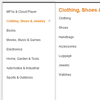
    This tutorial helps you to to speed up the most important product category navigation menu system for your ecommerce projects. I had implemented Amazon style menu with category image using PHP, MYSQL andj JQuery.

    Mobile App Design/Dev: Building Navigation with jQuery

    Mobile App Design/Dev: Building Navigation with jQuery

    Smartphones are now equipped with some very efficient web browsers. JavaScript is more powerful than ever before, and can be extended with the help of code libraries such as jQuery. When you add in the latest HTML5/CSS3 specs, it’s possible to build very snappy mobile web apps with some basic frontend code.

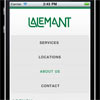
    In this tutorial I’ll show how you can build a mobile-based website/webapp. We’ll use CSS3 media queries for targeting specific devices and screen resolutions. Plus a bit of jQuery helps to animate the menu and load external page content using Ajax calls. Even better, the layout can even expand to display properly in regular desktop browsers such as Chrome or Firefox.

    Smart Wizard : jQuery plugin that gives wizard like Interface

    Smart Wizard : jQuery plugin that gives wizard like Interface

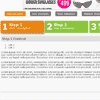
    Smart Wizard is a flexible jQuery plug-in for wizard like interface. It allows to group contents into sections and so it saves page space and also gives a neat and stylish interface for users. Using Smart Wizard 2.0 you can easily do input validation and so it is good for user registration and kind of tasks.

    Features:

    • Easy to implement, Minimal HTML required.
    • Ajax contents loading option.
    • Cool animation effects on step navigation. (none/fade/slide/slideleft)
    • Keyboard navigation option.
    • Horizontal and vertical style step anchors.
    • Easy step input validation option
    • Option to highlight error steps
    • In-built message box
    • Easy navigation with step anchors and navigation buttons
    • Can have multiple wizards on same page
    • Option to enable all steps on first load

    HorizontalNav : jQuery Plugin Spans a Horizontal Navigation

    HorizontalNav : jQuery Plugin Spans a Horizontal Navigation

    HorizontalNav is a jQuery plugin that spans a horizontal navigation to fit the full width of it’s container. If you’ve ever had to create this effect on a project, you’ll know it’s pretty annoying to do. But this plugin makes it easy, even on responsive designs and adds support for IE7.

    Google+ Styled UI Buttons & Dropdown Menu Buttons in jQuery

    Google+ Styled UI Buttons & Dropdown Menu Buttons in jQuery

    This is an easy to implement framework of Google+ styled buttons, icon buttons & dropdown menu buttons that look and work great in web applications.The dropdown menu button uses jQuery to toggle the sub menu, the rest is all CSS and an image sprite for the icons.

    Simple Drop Down Menu with jQuery and CSS

    Simple Drop Down Menu with jQuery and CSS

    This post is very basic level jQuery and CSS implementation. I want to explain how to design simple drop down menu  with CSS, HTML and jQuery. This system helps you to minimise the menus list. Just take a quick look at this post very few lines of code, use it and enrich your web projects.

    Mobile navigation jquery plugin

    Mobile navigation jquery plugin

    Plugin to replace navigation with a dropdown for mobile devices.It’s simple as abc. If you have some kind of navigation that you want to replace with a dropdown for mobile devices (read: screenwidth less than 480 pixels) then you’ve found what you’re looking for.

    jQuery Push Menu

    jQuery Push Menu

    A new style animted menu in jQuery with following features :

    • Cross Browser Compliant – IE9 , FF3+,Opera, Safari, Chrome
    • Mobile Ready – Works in mobile browsers.
    • Sliding Sub menu level items.
    • Animating open sub menu when hovering over top nav-links.
    • Auto resizing sub-menu container based on sub-menu content.
    • Adjustable parameters: easing,speed
    • Easily embed videos/images/forms etc.

    jQuery Sticky Header

    jQuery sticky header

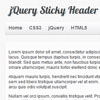
    In this tutorial we will create sticky header that is initially on its original place above the content, but as soon we start scrolling down the long page, it sticks at the top of the page.When scrolling up the page, the sticky header stops sticking and returns to its original position. We will use jQuery to create the sticky header.