

Beautiful jQuery Animated Menu is a Basic Menu bar using Jquery ,html and css.This Menu has a Very Sleek and Beautiful Hover Effect.It is quite easy to Implement also quite easy to understand.You can use this Animated jQuery Menu In your projects if you like it.
Best jQuery Menus Plugins & Tutorials with Demo
jQuery Metro Flexible Navigation

The jQuery Metro Flexible Navigation is a minimal, clean grid layout inspired by the new Windows 8 interface. It can be customized to be laid out horizontally or vertically. It’s scrollable and dragable at the same time and contains useful sliding controls. Icons can be changed, there is a large collection available.
Features :
- Layout orientation can be customized with a simple class atrribute
- Scroll-able and drag-able with mouse events and touch swipes (iPad compatible)
- Control buttons for sliding left, right, up and down the grid area
- Auto-resize based on browser viewport
- Well documented + free support + free updates
Create a Sliding Navigation Menu with jQuery
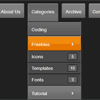
Consider a situation where you include your blog categories in a navigation menu. If you have a long category list, a drop down navigation menu will exceed the page height and the user might need to scroll to navigate to the last part of the menu. These small things are enough for a user to navigate away from your site.
To solve that, we are going to create a complete navigation menu using jQuery. I will explain how to compress large menus using sliding panels to keep the depth of your menu to a minimum level. Take a look at the demo before we get started. You can see that sub level menu items are hidden initially and displayed as sliding panels on click.

Mac OS X Lion with CSS3 & jQuery

I wanted to create with only use of CSS3 the boot, the login page and finally the desktop of the Mac OS X Lion.Booting page is simply the Mac OS X Lion boot. This section is simply composed by a CSS3 keyframes animation.Login section mainly consists of a clock, two images (logos and avatars user name), two backgrounds and a password input field. I used javascript only for the clock, create a fake login and when the password is valid I added some class to fix the desktop section and remove permanently the section login animation.And at last their is a desktop here I use javascript only for the clock and the jQuery UI Draggable library to have a draggable windows.
MetroPanel – Navigator for Modern Sites with jQuery,Html5 & Ajax
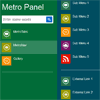
MetroPanel is new navigator system for modern sites with following features
Features:
- Two Panel Position: left and right
- Unlimited Items
- Unlimited background
- AJAX + HTML5 smart load for SEO
- jQuery + CSS3 Animation Effects
- Auto Show or Auto Hide Panel
- Easy Deploy for Almost Sites
- Many Options for Custom
Simple jQuery Drop Down Menu Tutorial
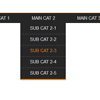
This tutorial will be more useful for those with knowledge of the basics of jQuery and CSS. The tutorial doesn’t require that much expertise in coding but at least should have basics know-how so that you don’t comment calling it an alien coding lol. Here’s a quick screenshot of our final menu. This tutorial will be more useful for those with knowledge of the basics of jQuery and CSS. The tutorial doesn’t require that much expertise in coding but at least should have basics know-how so that you don’t comment calling it an alien coding lol. Here’s a quick screenshot of our final menu.
Create a Sticky Navigation Header Using jQuery Waypoints
In this tutorial, we’ll be creating a navigation bar that stays with you as you scroll down — and we’ll also throw a gimmick or two into the mix to polish it off. we’re going to use one of HTML5′s new elements, the navtag, as a container for a horizontal list of links. I’ll briefly explain how to make it look pretty using a little bit of CSS.
Most importantly, you’ll make yourself familiar with the basics of jQuery’s Waypoints plugin, which will provide advanced functionality: as the user scrolls down, the navigation bar will stick to the top of the viewport, as well as change to indicate the current section. As a little added touch, we’ll use another plugin, ScrollTo, in order to provide smooth scrolling and convenient positioning when the user clicks on the navigation links.
jPie jQuery Circular Menu

jPie is a Contextual Circular Menu for jQuery.
Here are the features:
- You can create countless instances and each instance can be fully customizable using the attributes provided by the plugin (DRAGGABLE, CLOSABLE etc…)
- Fully customizable layouts, using an external CSS and specific themes.
- Ability to associate to each element of the DOM own context menu
- Fully compatible with the major browser ( IE, Chrome, Safari,Firefox, Opera)
- Can replace the context menu of the browser
Mac OS X Dashboard with jQuery

This is an example of the Mac OS X dashboard featuring drag and drop icons, 3D flip apps with jQuery. Tranforms and transitions are used to achieve the best effects. Degrades for browsers that lack support.
Features
- Double click to exit the dashboard
- Click the add button on the bottom left to toogle the dashboard dock
- Drag an icon and drop to place an app
- Click the (i)nfo button to flip the app


