
A jQuery plugin which turns your site’s navigation into a dropdown (<select>) when your browser is at mobile widths.
Best jQuery Menus Plugins & Tutorials with Demo

Extremes : jQuery plugin to put lists around a Circle
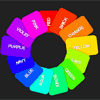
Extremes is a really simple and lightweight jQuery plugin to place elements around a circle. Special attention is paid to legibility. You will never encounter upside down text.When ordering lists you will often find that topics come to a full circle; the first item is very similar to the last one. In these cases a better visual representation would be ordering them around a circle, instead top to bottom.
Stairway : jQuery CSS3 Navigation Plugin

I’d build out an idea for navigation I had. It’s nothing but a visual effect in which the hovered (or active) navigation item becomes the tallest “stair” and other items before and after it step down. It’s simple, but it’s not something you see very often. Probably for one major reason: you can’t select “previous” elements in CSS.
BootMetro : Create web apps with Windows 8 Metro user interface
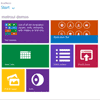
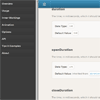
BootMetro provides simple and flexible HTML, CSS, and Javascript for web apps that wants to use the “Windows 8 MetroUI” style, without the need to run on Windows 8. It is built on top of Twitter Bootstrap and was originally inspired by the Metro UI CSS by Sergey Pimenov.
The framework permit to create web applications with the look&feel of the not-yet-released Windows 8 MetroUI style. Maybe not ideal for internet web sites, the MetroUI style can be adopted for modern intranet web sites. I’ve choosen to use as base the awesome Twitter Bootstrap framework, applying a set of customizations in pure css (but planning to do it in LESS for future version).
Google Plus Style Notification Box Tutorial
I like the Google+ notification box and lately I wondered how to code a notification box that look like something like that. I love its simple design and box animation with easing. So I decided to create my own version.
Today we are going to do a script that will look like the Google+ notification box. I was able to achieve this using jQuery, jQuery easing plugin and PHP.
jQuery Cube Animated Menu

Here a new Jquery Cube Animated Menu with smooth animation. So this is the best jquery animation menu you can use it for your next website project, there are 15 new animation effect in this menu. This menu gonna help you to boost your creativity in webdesign using great animation effect and it’s easy to use and look great on all browsers.
Custom Drop-Down List Styling with jQuery & CSS
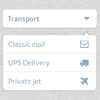
A tutorial on how to create some custom drop-down lists. We’ll show you five examples with different looking drop-down menus and lists for various purposes. The point of this tutorial is to show how to create nice drop-downs without any image but with CSS only. We’ll add some line of jQuery to make them work.
jQuery Responsive & Multi-Level Navigation
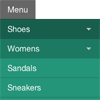
If you’ve ever worked on a responsive website, you’ve no doubt had to tackle one of the trickiest problems in this emerging field: navigation. For simple navigation, the solutions can be straight-forward. However, if you’re working on something a bit more complex, maybe with multiple nested lists and dropdowns, a more dramatic rearrangement may be in order.
In this approach to responsive navigation, we’re going to use an approach that can accommodate large, multi-level navigation menus using media queries and jQuery, whilst trying to keep our markup simple and our external resources minimal.


