Best jQuery Menus Plugins & Tutorials with Demo

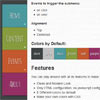
    jQuery Box Accordion Menu – Responsive

    jQuery Box Accordion Menu - Responsive

    You can play around with all its features to make your own.

    • Clean and Modern Look.
    • Only HTML configuration, no javascript configuration needed.
    • 8 Different colors by default.
    • Make your own colors with CSS.
    • Choose the color of your preference and make you own menu.
    • Responsive design (3 different modes).
    • The responsive design is in a different CSS file and its optional.
    • You can make your own themes and apply it easly.
    • Customizable through css.
    • Simple html mark up.
    • Accordion Effect for submenus.
    • Cross browser compatibility.
    • Twitter Bootstrap compatible.

    Fixed Table of Contents Dropdown Menu with jQuery

    Fixed Table of Contents Dropdown Menu with jQuery

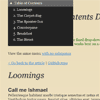
    A fixed table of contents drop-down menu jQuery plugin.Just change the markup to add more depth to the menus. The script should automatically recognize deeper menus, as long as you have the corresponding sections in the content area.

    If you want to go deeper than three levels, you’ll have to add some extra CSS to indent the menus. Just look for the part with “li li li” and adjust accordingly.

    jQuery Simple Context Menu

    jQuery Simple Context Menu

    There are loadsof context menu plugins already. But they require a fair amount of work to make them look good.This one is easy to use, small, and looks good.

    Features:

    • Tiny library. Only dependency is jQuery.
    • Simple API.
    • Looks good out of the box, with no additional tweaking.
    • Designed to look and behave like a standard Windows context menu.
    • There’s so little code, it should be easy to add your own custom features.

    Creating a CSS3 Responsive Menu with jQuery

    Creating a CSS3 Responsive Menu with jQuery

    This tutorial aims to provide step by step instructions to enable you to create a responsive navigation menu that adapts to varying screen sizes, with the help of CSS media queries.

    I adopted the Mobile First approach to designing the menu. In essence, this approach adopts a strategy of designing for mobile devices first, then working your way up to larger ones, such as desktop monitors. The base design is developed for the popular dimensions of mobile devices – 320 x 480. I then utilised media queries, primarily for scaling up to larger screen sizes, but also as an effective tool for enhancing the design.

    jQuery powered HTML5 navigation menu

    jQuery powered HTML5 navigation menu

    This is a simple HTML5 and jQuery powered navigation menu. It uses some simple CSS3 for some minor presentational enchancement (like border-radius and text-shadow).

    The purpose behind it’s creation was to provide a semantic and easily implemented way of creating simple good-looking site navigation. In that spirit, it’s usage is incredibly simple.

    Makisu : jQuery CSS 3D Dropdown Menu concept

    Makisu : jQuery CSS 3D Dropdown Menu concept

    Makisu is an experimental jquery plugin for CSS 3D dropdown navigation menu supported for modern browsers like Chrome.

    OneMenu : jQuery Responsive Metro UI Menu

    OneMenu : jQuery Responsive Metro UI Menu

    OneMenu is a jQuery navigation menu plugin that is created for Metro UI themes. OneMenu supports responsive design, unlimited menus.

    Features:

    • Responsive Design for Metro Themes
    • Unlimited Menus.
    • Unlimited Items in OneMenu.
    • Works on Aalmost Platforms.
    • Auto align items in Dynamic Grid.
    • Light weight.
    • Easy Customiztion.

    stickySectionHeaders : jQuery Makes headers for sections in lists sticky

    stickySectionHeaders : jQuery Makes headers for sections in lists sticky

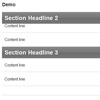
    jQuery.stickysectionheaders takes a nested list and enables section headings as known from iOS table views. When scrolling down, always the current section heading “sticks” to the top of the list until the next heading “pushes” it out of the viewport.

    Simple Effects for Drop-Down Lists with jQuery

    Simple Effects for Drop-Down Lists with jQuery

    Today we want to share some simple drop-down list effects with you. The idea is to transform a normal select input into something more appealing with a jQuery plugin. The expanding of the options will happen with a transition and parameters can be configured in a way to achieve unique effects.

    After the great custom drop-down list styles made by Hugo in his tutorial Custom Drop-Down List Styling, we wanted to make it simple to create a custom structure from a normal select input (without multiple option selection). So, we’ve come up with this little plugin that will allow some custom styling of the drop-down list. With the generated structure it is easy to apply some simple effects in order to spice it up.

    jQuery Blocks-Made Menu

    jQuery Blocks-Made Menu

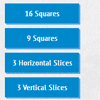
    jQuery blocks made menu with block animated popup windows.This menu have manu square,horizontal,vertical slice effect.