Best jQuery Menus Plugins & Tutorials with Demo

    FlexNav : jQuery Plugin for Responsive Menus

    FlexNav : jQuery Plugin for Responsive Menus

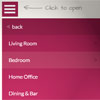
    FlexNav is a mobile-first example of using media queries and jQuery to make a decent site menu with drop downs. Special attention is paid to touch screens using touch events and tap targets. This is something I use to test different navigation techniques and may change as I iterate over different solutions to the problem. Basically I want a simple model to build upon when working on sites from scratch.

    Features:

    • Multiple nested sub menus
    • Tap targets to reveal sub menus for touch screens
    • Hover reveal for desktop
    • Keyboard tab input accessibility
    • Fallback for no JavaScript
    • Fast clicks for touch screens (no 300ms delay)
    • Use class .one-page on the body, .menu-button, and ul.flexnav for single page fixed menu


    Horizon Slide Navigation jQuery Plugin

    Horizon Slide Navigation jQuery Plugin

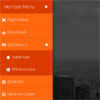
    Horizon Menu is a dedicated jQuery plugin where you can create custom menus that slide beautifully in your web browser. It’s reponsive, meaning mobile first. Mobile and tablet UI is fullscreen meaning it’s user-friendly and easy to navigate.

    Features:

    • IE8+ Compatible
    • Full browser support
    • Cross Compatible Device Ready
    • 120+ Fully Scalable Icons Font
    • 6 Themes with the ability to create your own
    • CSS3 animation support with IE fallback
    • Position your menu on the left or right side of your browser
    • As many menu items and submenus as you desire
    • Animation in and animation out fully supported
    • Fullscreen for media with window sizes
    • PC, Mobile and Tablet Touch Compatibility

    jQuery Circle Menu

    jQuery Circle Menu

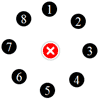
    A customizable jQuery plugin that emulates the menu in the Path application. Includes a selection animation and various animation options for opening and closing the menu.

    Simple YouTube Menu Effect with CSS3 & JavaScript

    Simple YouTube Menu Effect with CSS3 & JavaScript

    Today we’ll show you how to recreate the little menu effect that you can see in the left side-menu on YouTube when watching a video (where it says “Guide”). The menu is made of a little menu icon, a label and a list of menu items that appears when the label or menu icon is clicked. Once it’s clicked the menu icon slides to the right and the label moves up while the list items fade in sequentially. We’ll add some more style and effects to it in order to make it a bit more interesting.

    DoubleTapToGo.js : jQuery Touch-friendly drop-down navigation

    DoubleTapToGo.js : jQuery Touch-friendly drop-down navigation

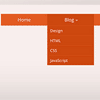
    doubleTapToGo is responsive and touch-friendly dropdown navigation.

    The technique consists of three main parts:

    1. Simple drop-down navigation based on HTML and CSS;
    2. Responsiveness implementation using media queries;
    3. Adoption for touch screen devices with the help of a super tiny jQuery plugin.

    Cream Tabs : jQuery Plugin

    Cream Tabs : jQuery Plugin

    Cream Tabs it is a mix of tabs and navigation menu with content slider.

    Features:

    • Retina ready (Font Awesome integrated)
    • Simple to use
    • Live preview
    • Cross Browsers
    • Content Slider
    • Fully customizable
    • Min version: 6 kb
    • Allow multiple connections
    • Menu position: vertical/horizontal
    • Position on screen: coordinates or auto
    • Simple change color

    Snap.js : A Library for creating beautiful mobile shelfs in Javascript

    Snap.js : A Library for creating beautiful mobile shelfs in Javascript

    A Library for creating beautiful mobile shelfs in Javascript (Facebook and Path style side menus)

    Features:

    • Firefox 10+, Wide Webkit Support (Android WebKit 2.3.X+)
    • Library Independent
    • High Customization
    • Flick Support
    • User Intent Detection
    • Event Hooks
    • CSS3 Powered Animations
    • Drag Support
    • Programatic API
    • “No-Drag” Elements
    • Definable Easing Mode
    • Enable/Disable Events
    • Disabled Sides (left or right)

    jQuery Responsive Multi-Level Menu with CSS3

    jQuery Responsive Multi-Level Menu with CSS3

    Today we want to share an experimental drop-down menu with you. The main idea is to save space for menus that have a lot of content and sub-levels. Each sub-level in this menu will be shown in its own context, making the “parent” level disappear. This is done with subtle animations that are defined in separate animation classes. The menu is fluid so that it can be used easily in a responsive layout.

    Slide and Push Menus in CSS & JavaScript

    Slide and Push Menus in CSS & JavaScript

    A set of fixed menus that will slide out from any of the edges of the page. The two menus that slide out from the left and right side can also be used in combination with the body moving to the left or right side, respectively, hence being “pushed”.

    There are examples of how to trigger the opening and closing of the menus and some example media queries.

    Flaunt.js : jQuery stylish responsive navigations

    Flaunt.js : jQuery stylish responsive navigations

    Flaunt.js is a jQuery script that allows you to create a responsive, nested navigation out the box. Flaunt was built to overcome responsive design challenges which faced a huge percentage of websites. This challenge was to show nested navigation items on click-demand, without the event taking you through to the page you’ve pressed…