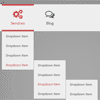
This is a simple tooltip menu that will show a tooltip submenu when hovering over an item. The submenu will either appear above or below the main menu, depending on where more space is available. Using Modernizr’s touch detection, the menu will either react on hover or on click. Example media queries show how to adjust the style for smaller screens.
Best jQuery Menus Plugins & Tutorials with Demo
Menufication : jQuery Responsive Fly-Out Menu with CSS3

Navigation is one of the most important aspects of a website. The fly-out menu (with inspiration from Facebook) has been proven to be the most efficient navigation that dramatically can improve your visitors experience on your website!
Menufication is a user-friendly, customizable jQuery-plugin to transform your sites navigation to a responsive fly-out menu in Facebook fashion.
Features:
- Utilizes CSS3-tranforms for optimal and native-like performance.
- Swipe to open/close the menu (iOS only in v1.0).
- Option to only generate the menu on predefined browser sizes.
- Option to only generate the menu on mobile devices.
- Support for hierarchical menus.
- Several options to customize the behaviour of the menu.
- Only dependency is jQuery.


jQuery UI Bootstrap : Bootstrap-themed kickstart for jQuery UI widgets

A jQuery UI theme based on Twitter Bootstrap.This project was started to bring the beauty and ease-of-use of Twitter Bootstrap to jQuery UI widgets.In their original forms, jQuery UI and Bootstrap can’t coexist resulting in conflicts with both CSS classes and styles as well as JavaScript when you do try to use them. jQuery UI Bootstrap provides the JavaScript and CSS required to quickly start a project using both jQuery UI and Twitter Bootstrap.
Our solution offers a custom version of Bootstrap compatible with jQuery UI as well as a Bootstrap-themed jQuery UI theme you can use to prototype your projects.
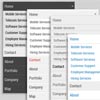
Responsive Nav : Responsive navigation plugin with JavaScript & CSS3

Responsive Nav is a tiny JavaScript plugin which weighs only 1.7 KB minified and Gzip’ed, and helps you to create a toggled navigation for small screens. It uses touch events and CSS3 transitions for the best possible performance. It also contains a “clever” workaround that makes it possible to transition from height: 0 to height: auto, which isn’t normally possible with CSS3 transitions.
Horizontal Slide Out Menu with CSS3 & JavaScript
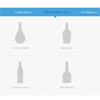
A horizontal slide out menu with a grid-like thumbnail layout for the submenu. With media query examples for smaller devices. The menu slides out from the top when a main menu item is clicked and the sub-items fade in. When clicking on another item, the height of the submenu will adjust and the content will fade in and out while switching.
Some media query examples show how to make the menu responsive and change the view to a touch-friendly vertically stacked navigation.
Responsive Retina-Ready Menu with CSS3 & JavaScript

Today we will create a colorful Retina-ready and responsive menu inspired by the colors of the Maliwan manufacturer of the Borderlands game. The menu automatically changes to one of three different layouts depending on the browser window size: a “desktop” inline version, a two columns tablet-optimized version and a mobile version with a menu link to display and hide the navigation for smaller screens. To make the menu fully retina-ready, we will use an icon font so that the icons of the menu won’t get pixelized on resize.